Connect Claude Code
You connect once. After that Claude Code works inside the kitchen, where your projects live. You need the Claude desktop app and a Claude account.
The same steps are in Eggie: open the console → Agents → Claude Code. When it’s done, Eggie marks it Connected.
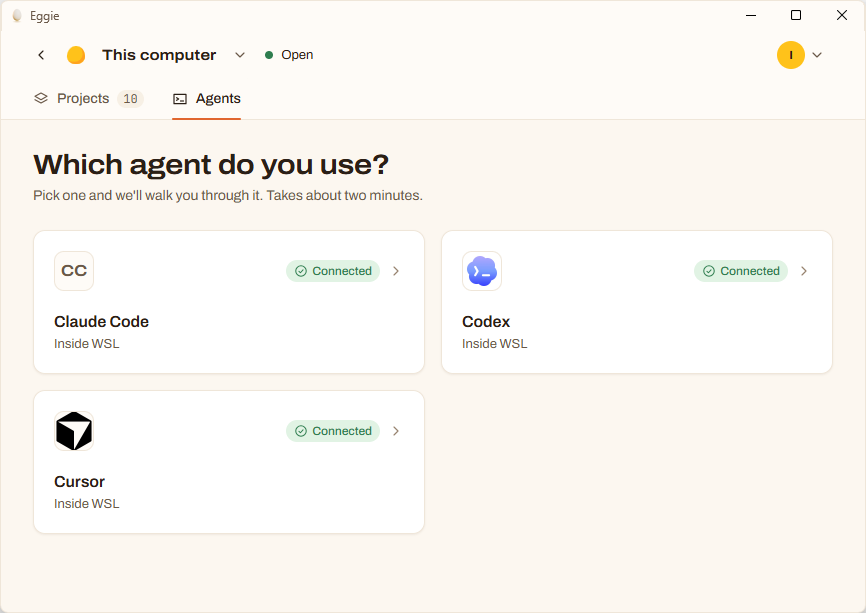
Claude Code connects to the kitchen over SSH. Your SSH host and SSH port are on the card in Eggie → Agents → Claude Code. For the SSH key you need the private key file you downloaded when you made your SSH key in the Eggie web app. It is usually in your .ssh folder, named like eggie-…_ed25519.
The video shows every step below.
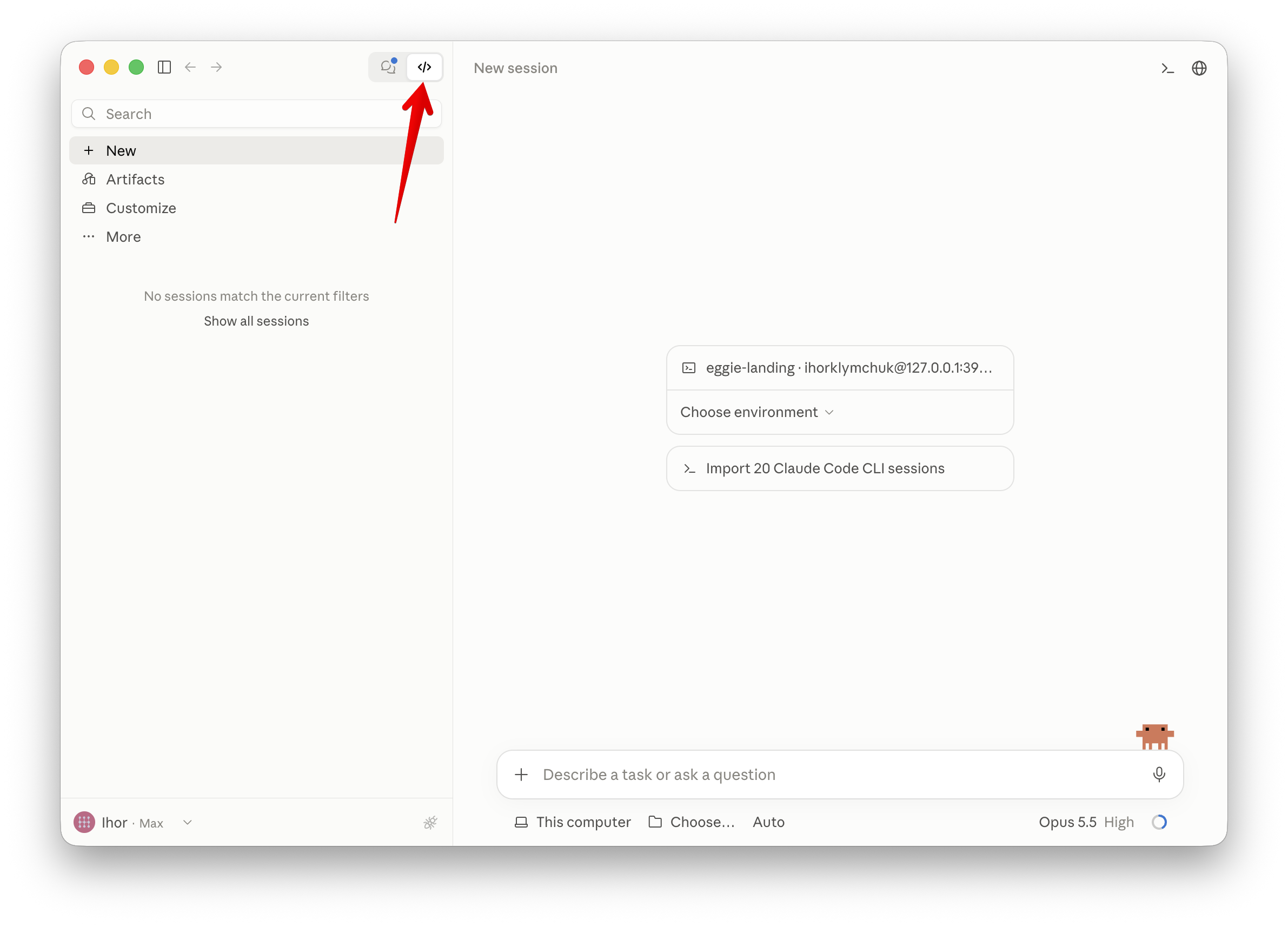
Open Claude Code
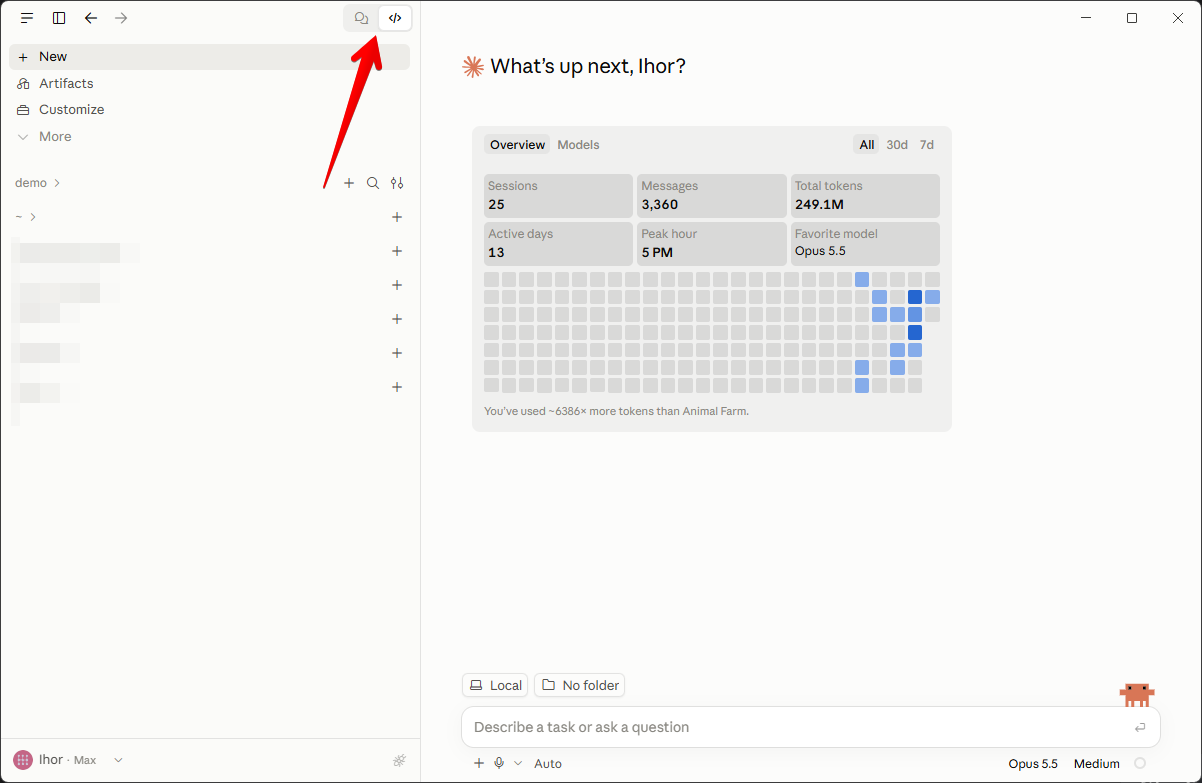
Open the Claude desktop app and click </> at the top to switch to Claude Code.
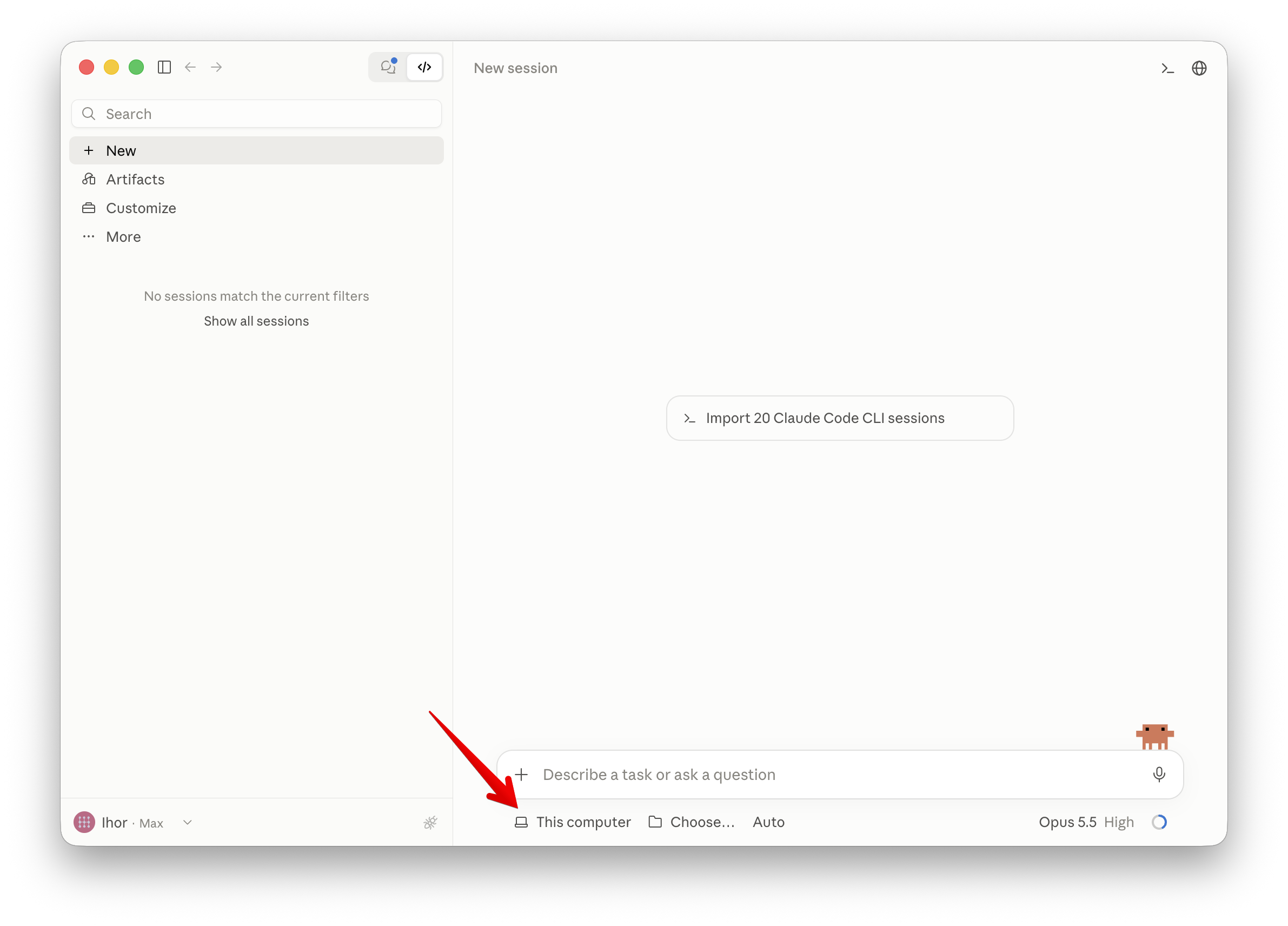
Create a new environment
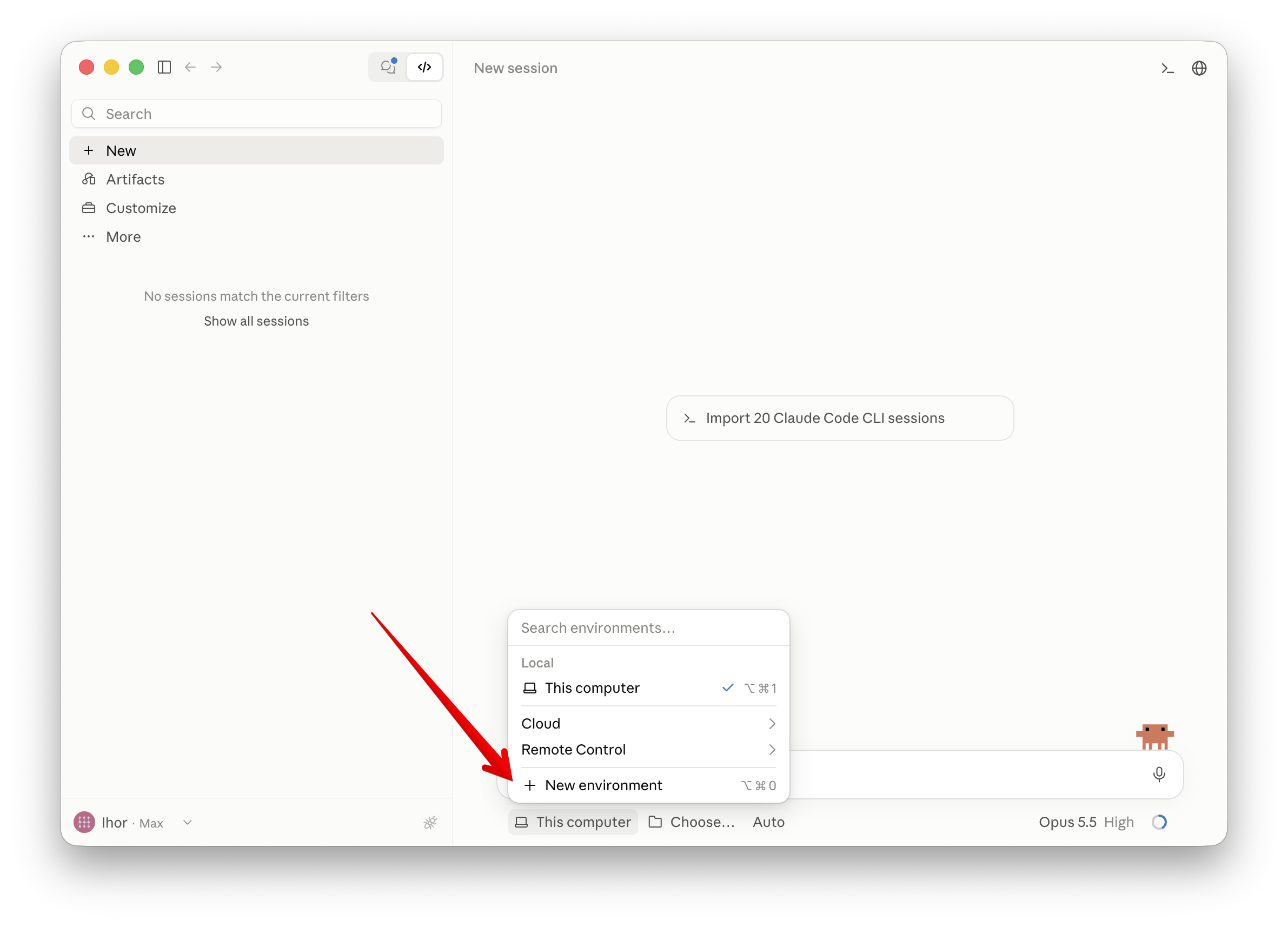
- Click This computer under the prompt box.
- Select New environment.
Add an SSH connection
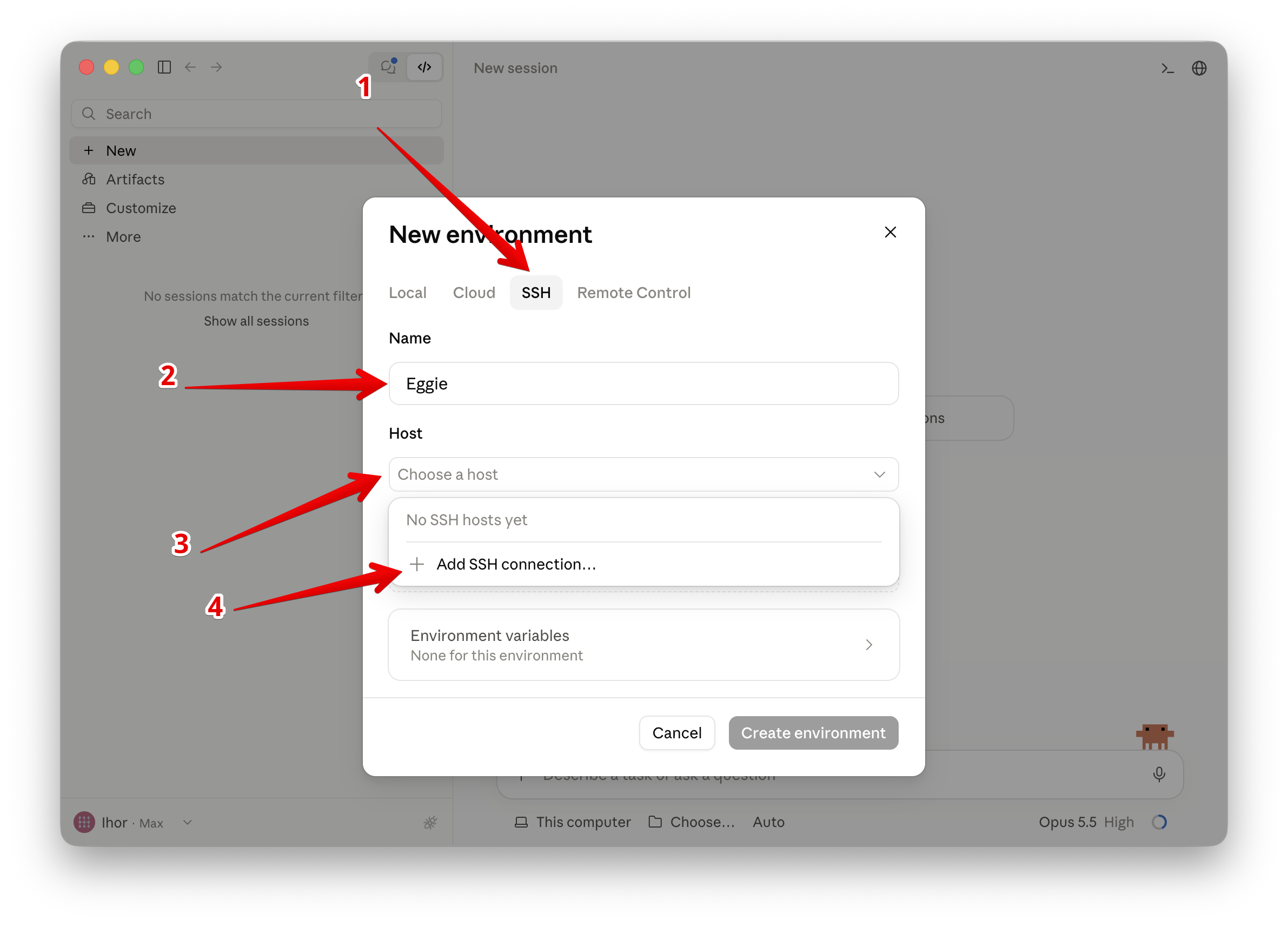
- Open the SSH tab.
- Name it Eggie.
- Click Choose a host.
- Select Add SSH connection…
Enter the details
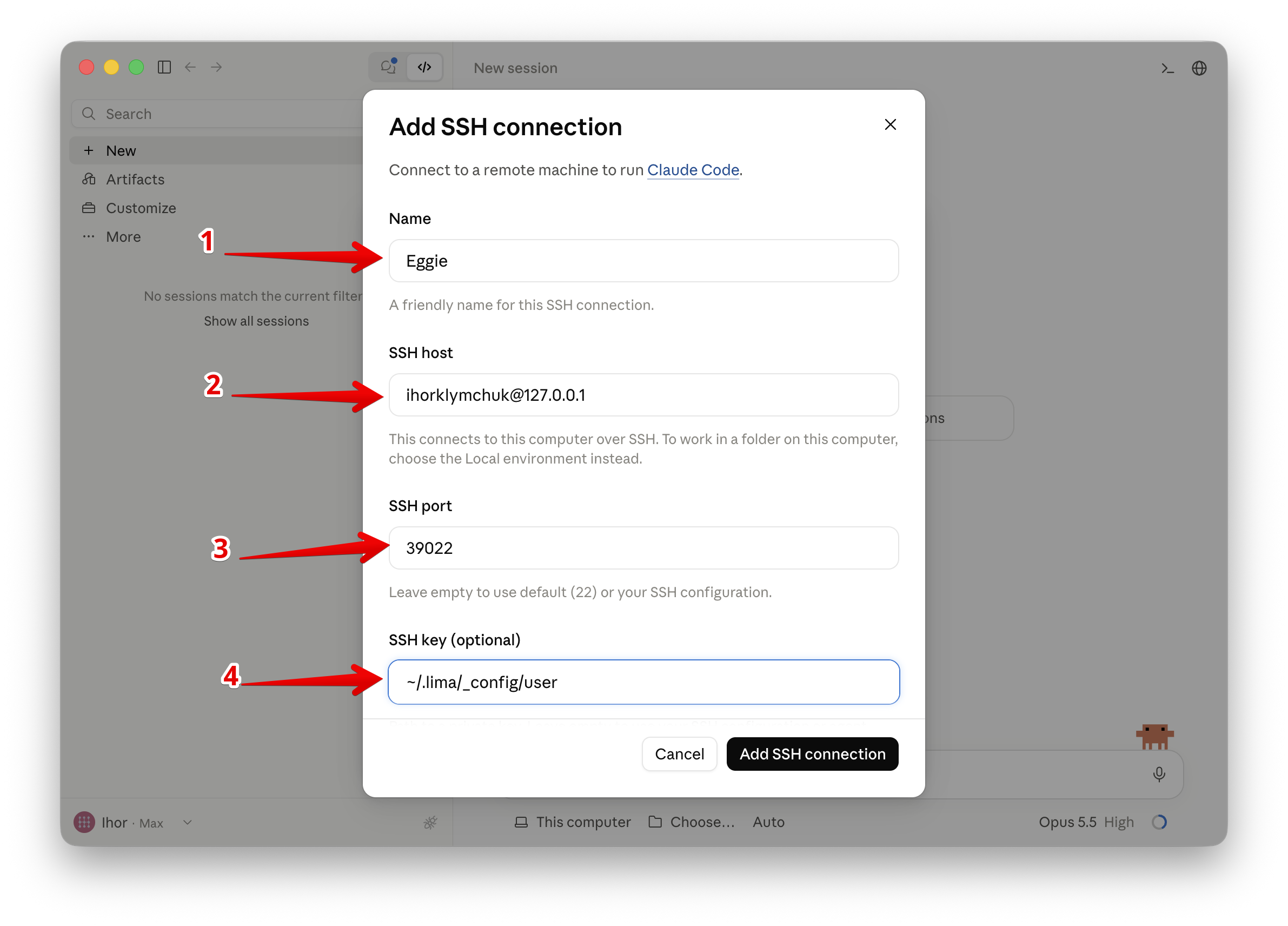
Name it Eggie, then copy the SSH host and SSH port from the card in Eggie.
For SSH key, enter the path to the private key file you downloaded from Eggie.
Save the connection
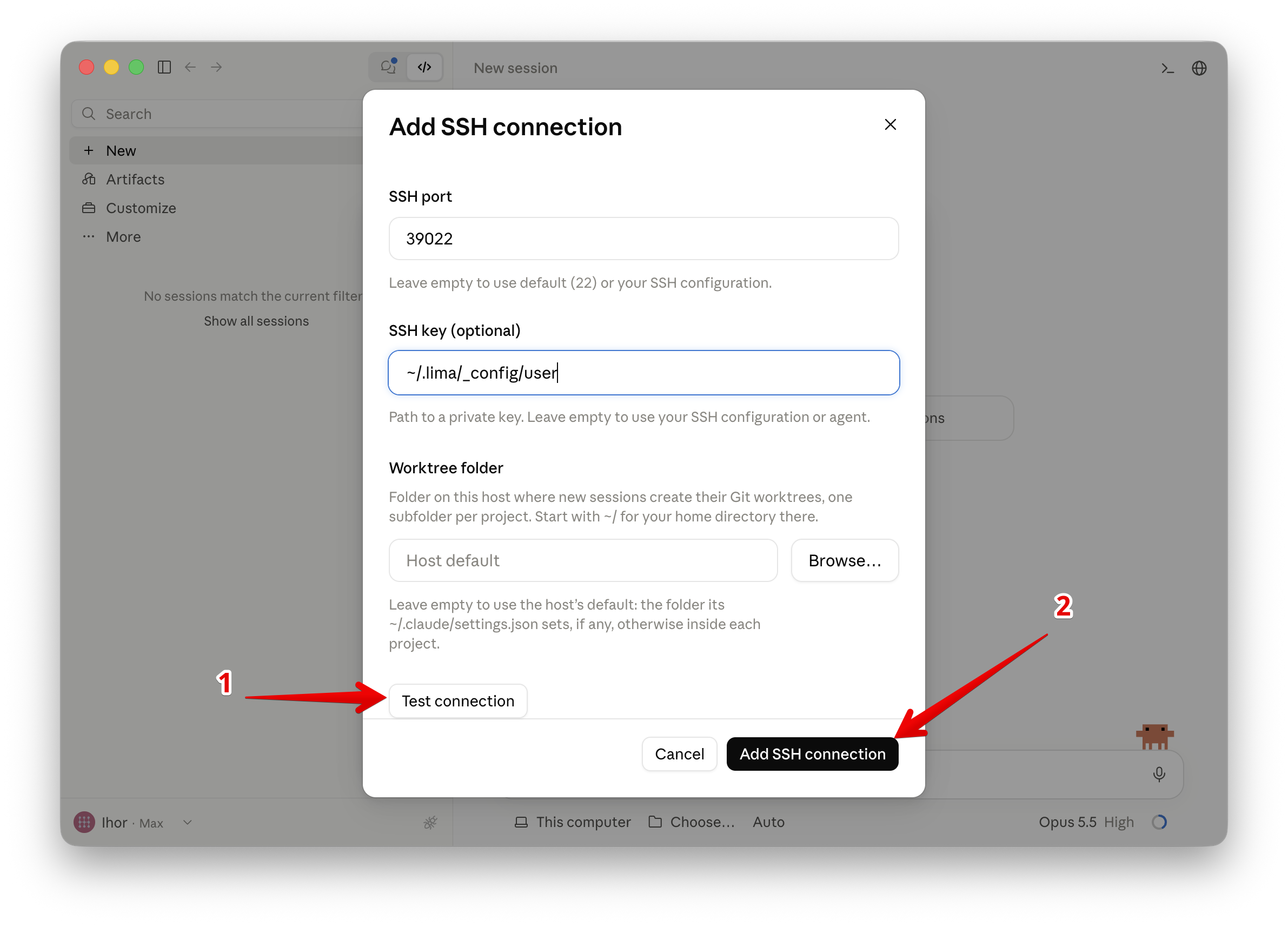
Click Test connection and wait while Claude Code installs what it needs. When it says the host is ready, click Add SSH connection.
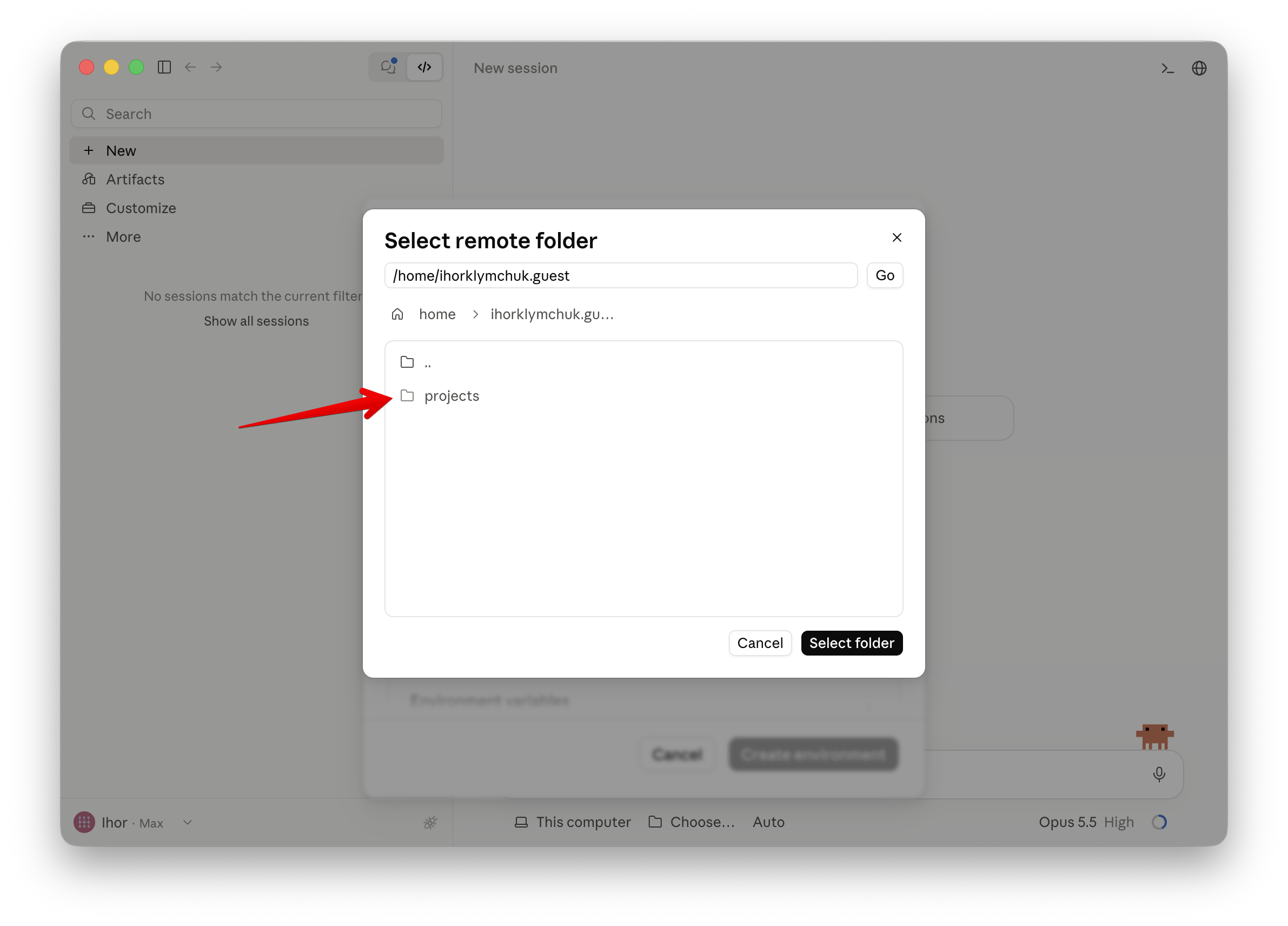
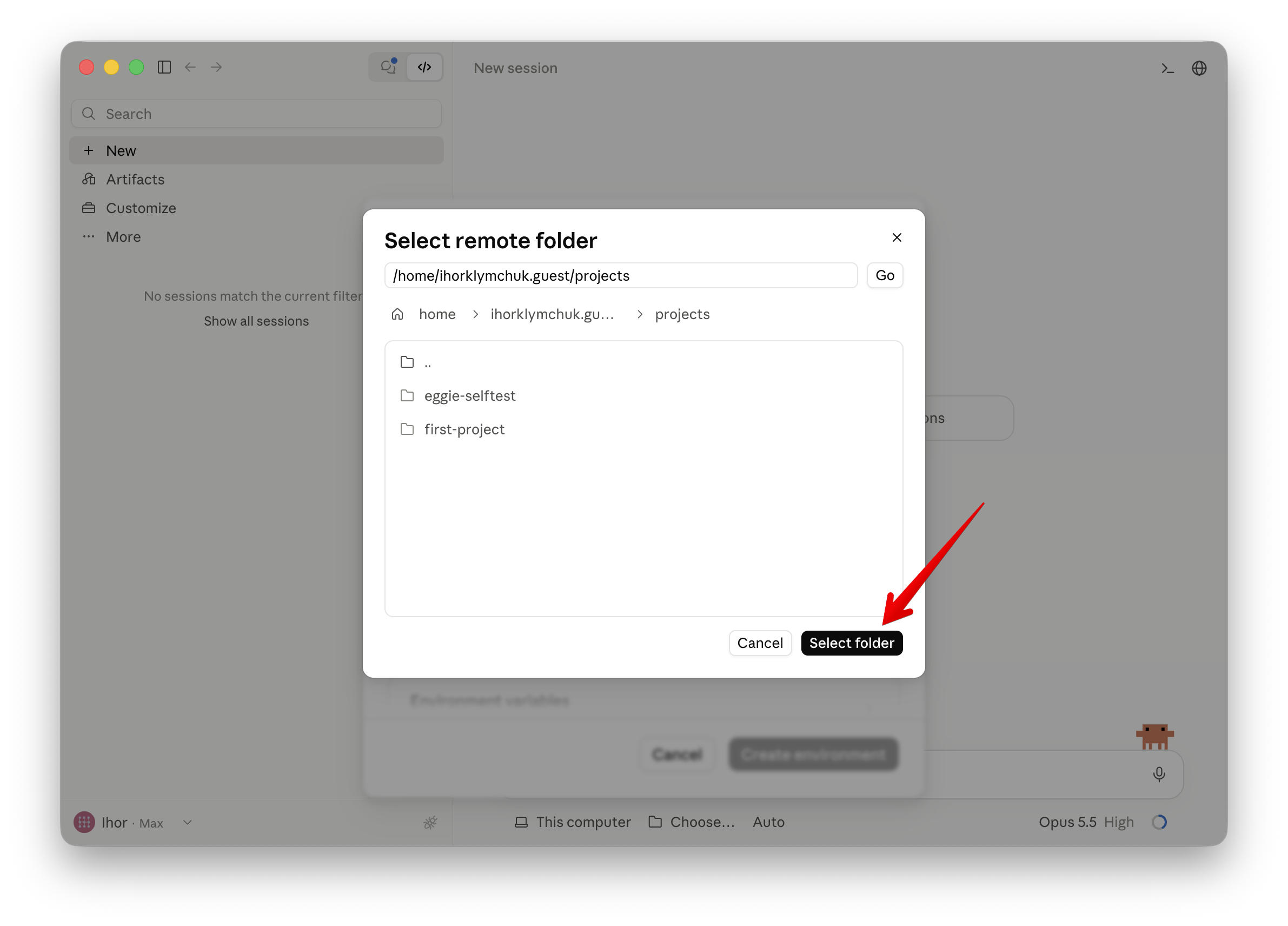
Choose the projects folder
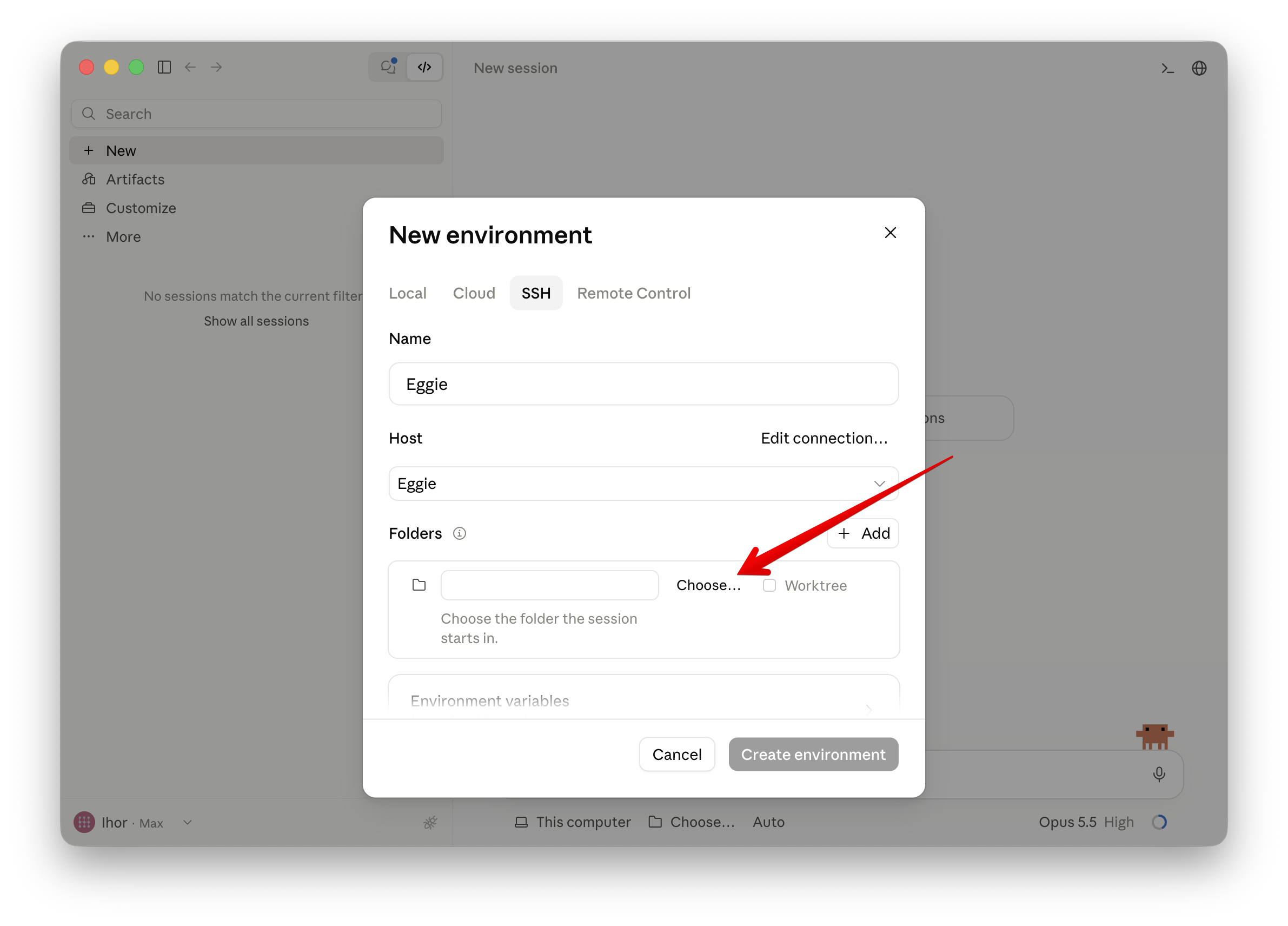
- Under Folders, click Choose…
- Open the projects folder.
- Click Select folder.
Create the environment
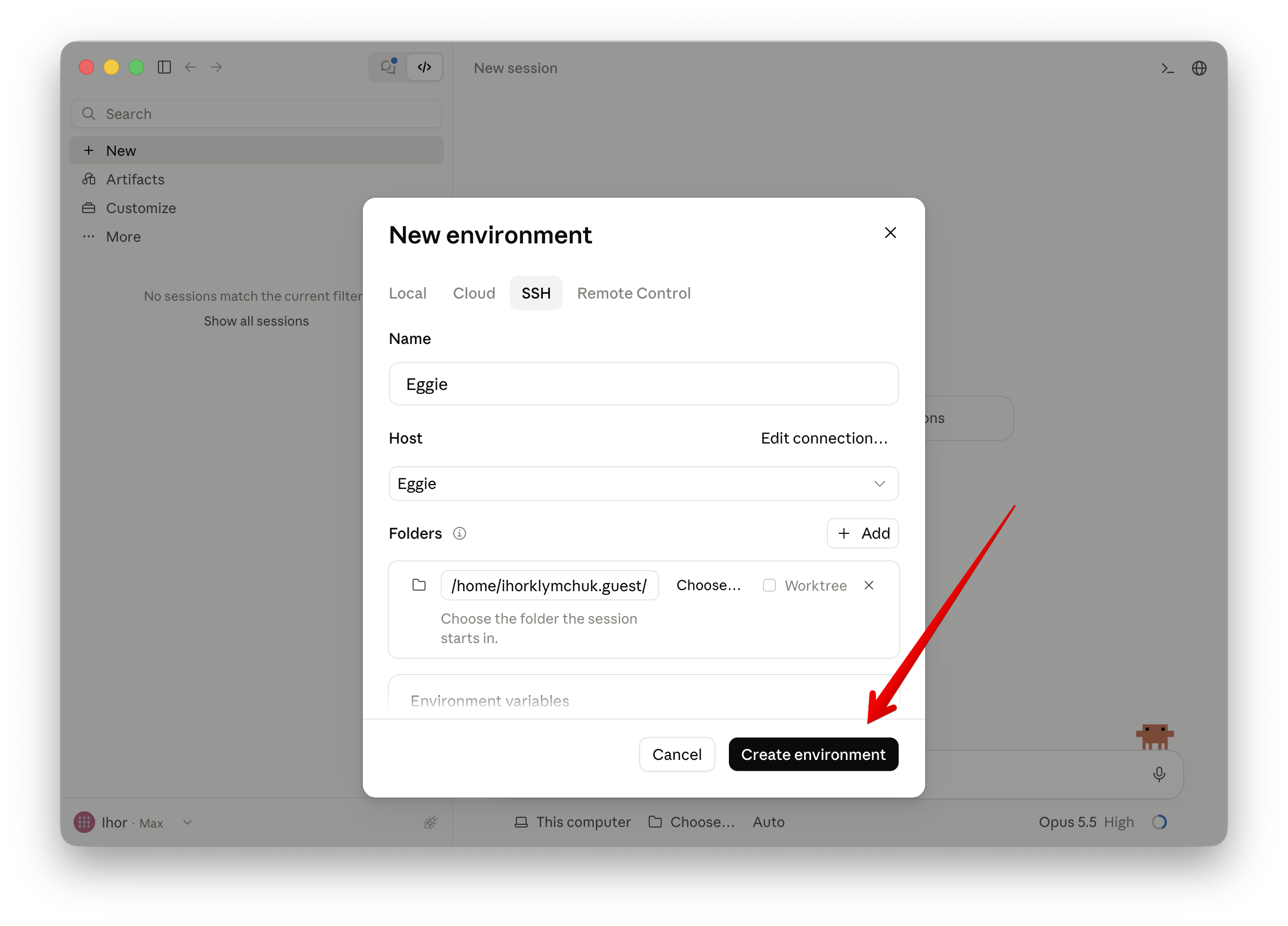
Click Create environment, then tell Claude Code what to build.
Claude Code connects to the kitchen over SSH. Your values are on the card in Eggie → Agents → Claude Code: SSH host, SSH port and SSH key.
The video shows every step below.
Open Claude Code
Open the Claude desktop app and click </> at the top to switch to Claude Code.
Create a new environment
- Click This computer under the prompt box.
- Select New environment.
Add an SSH connection
- Open the SSH tab.
- Name it Eggie.
- Click Choose a host.
- Select Add SSH connection…
Enter the details
Name it Eggie, then copy each value from the card in Eggie:
- SSH host
- SSH port
- SSH key
Save the connection
Click Test connection and wait while Claude Code installs what it needs. When it says the host is ready, click Add SSH connection.
Choose the projects folder
- Under Folders, click Choose…
- Open the projects folder.
- Click Select folder.
Create the environment
Click Create environment, then tell Claude Code what to build.
Claude Code runs inside the kitchen through WSL. No values to copy.
Open Claude Code
Open the Claude Code app and sign in.
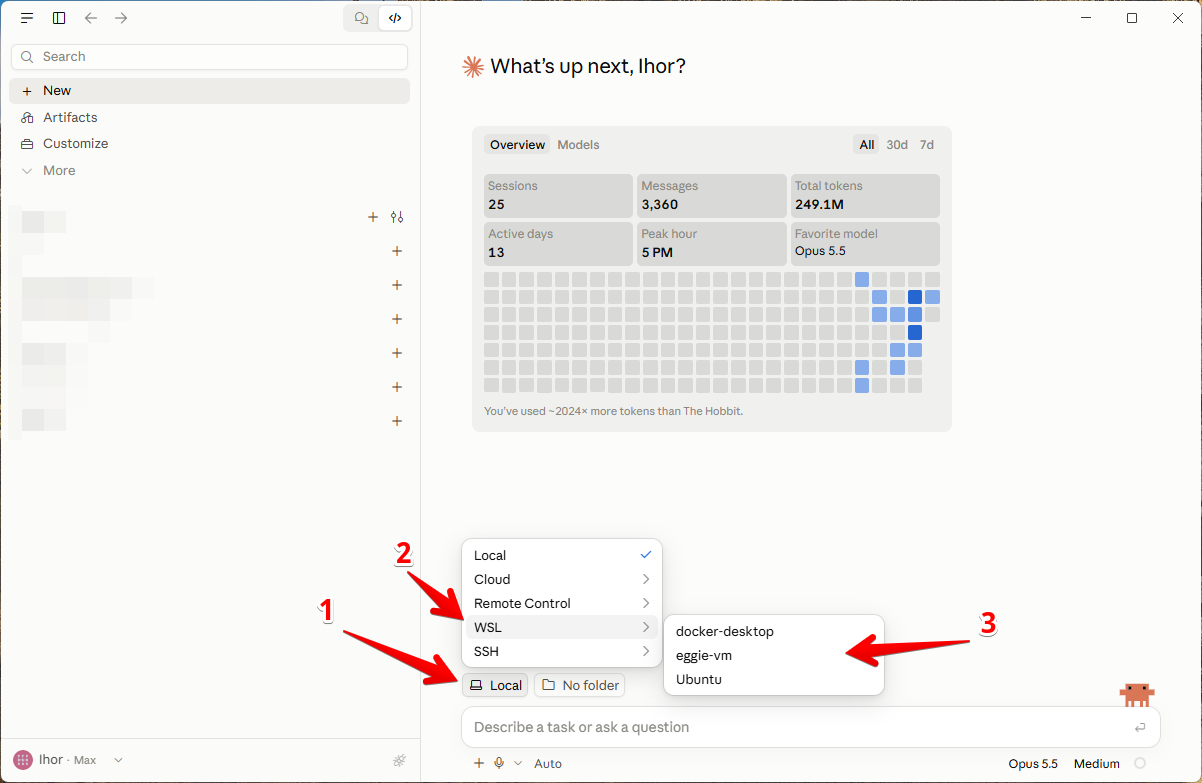
Switch to WSL
- Open the environment menu next to the prompt box.
- Select WSL.
- Choose eggie-vm from the list.
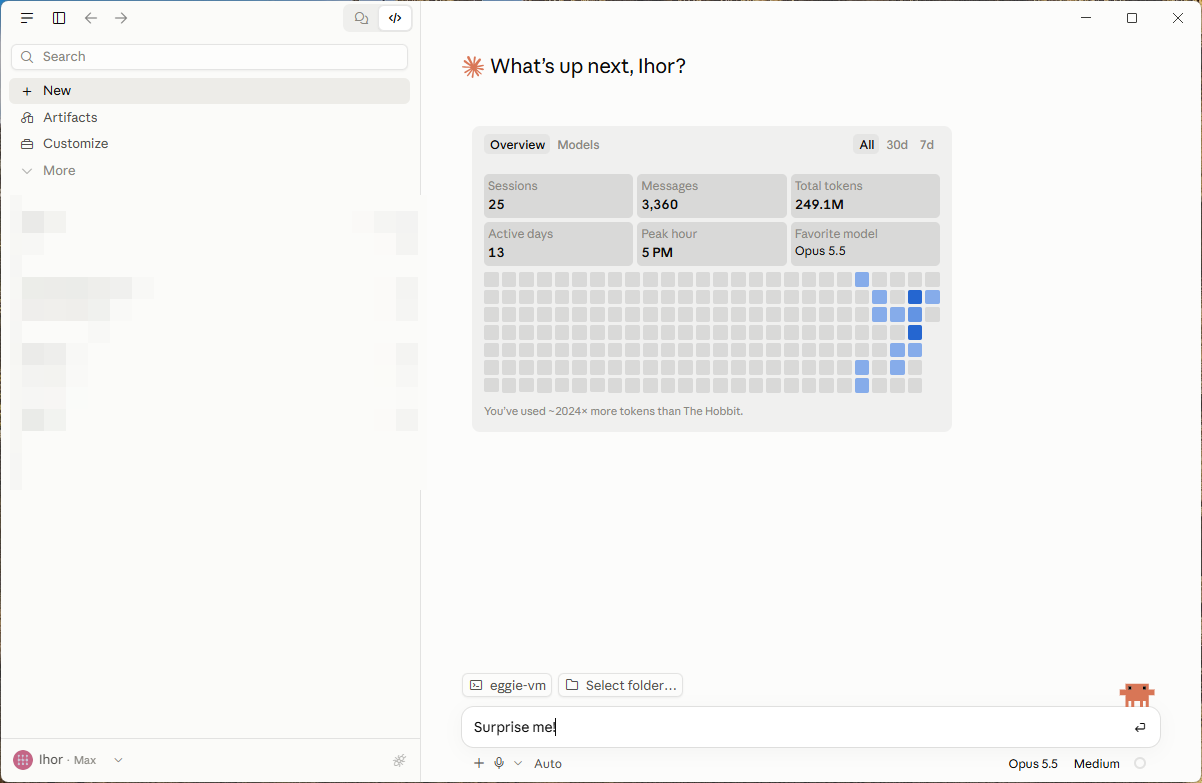
Start prompting
Tell Claude Code what to build.
Something not working? See Troubleshooting.