Connect Cursor
You connect once. After that Cursor works inside the kitchen, where your projects live. You need the Cursor app and a Cursor account.
The same steps are in Eggie: open the console → Agents → Cursor. When it’s done, Eggie marks it Connected.
This section is not ready
Eggie already added a connection named eggie to your Mac during setup, so there’s nothing to copy.
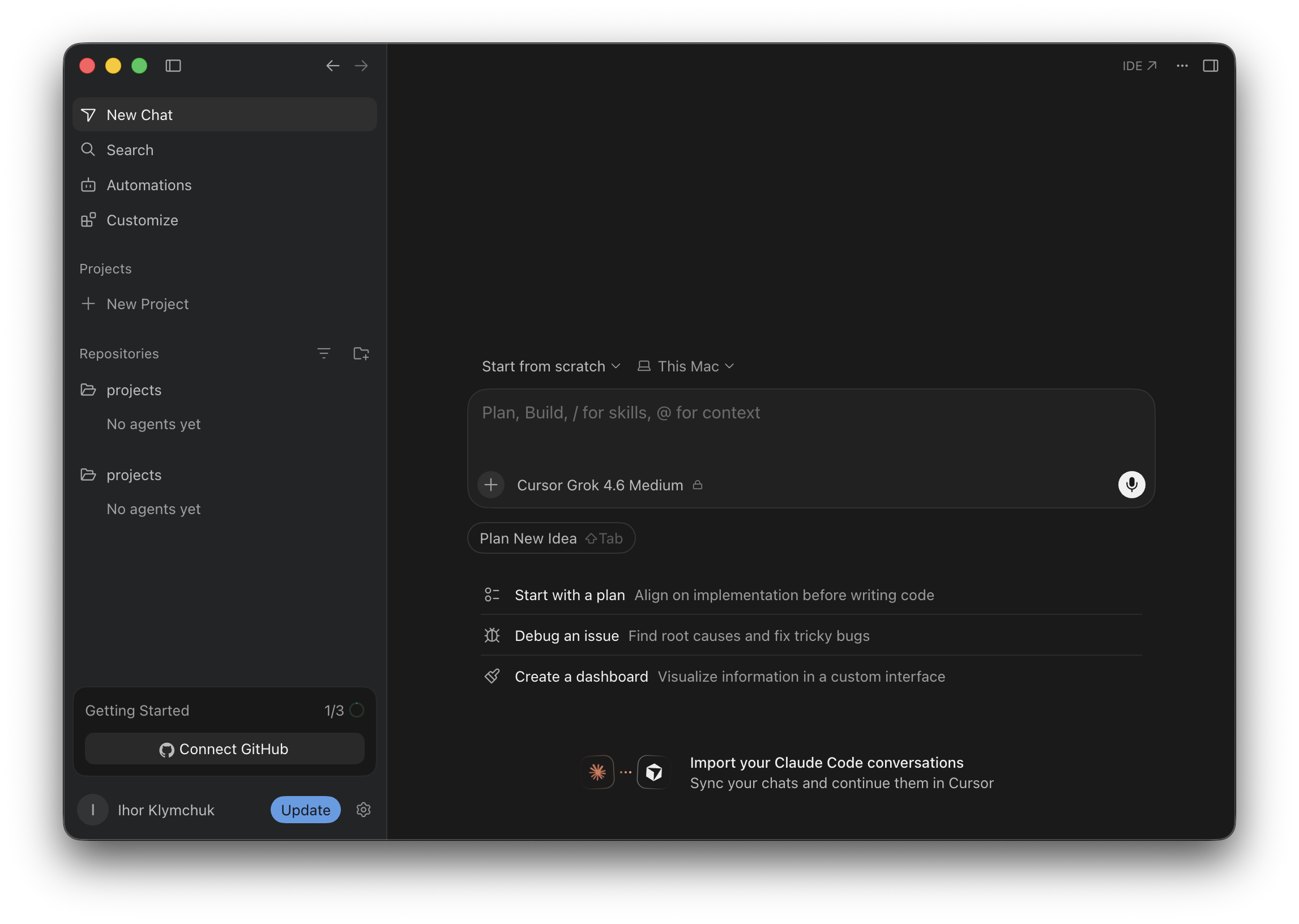
Open Cursor
Open the Cursor app and sign in.
Add a remote connection
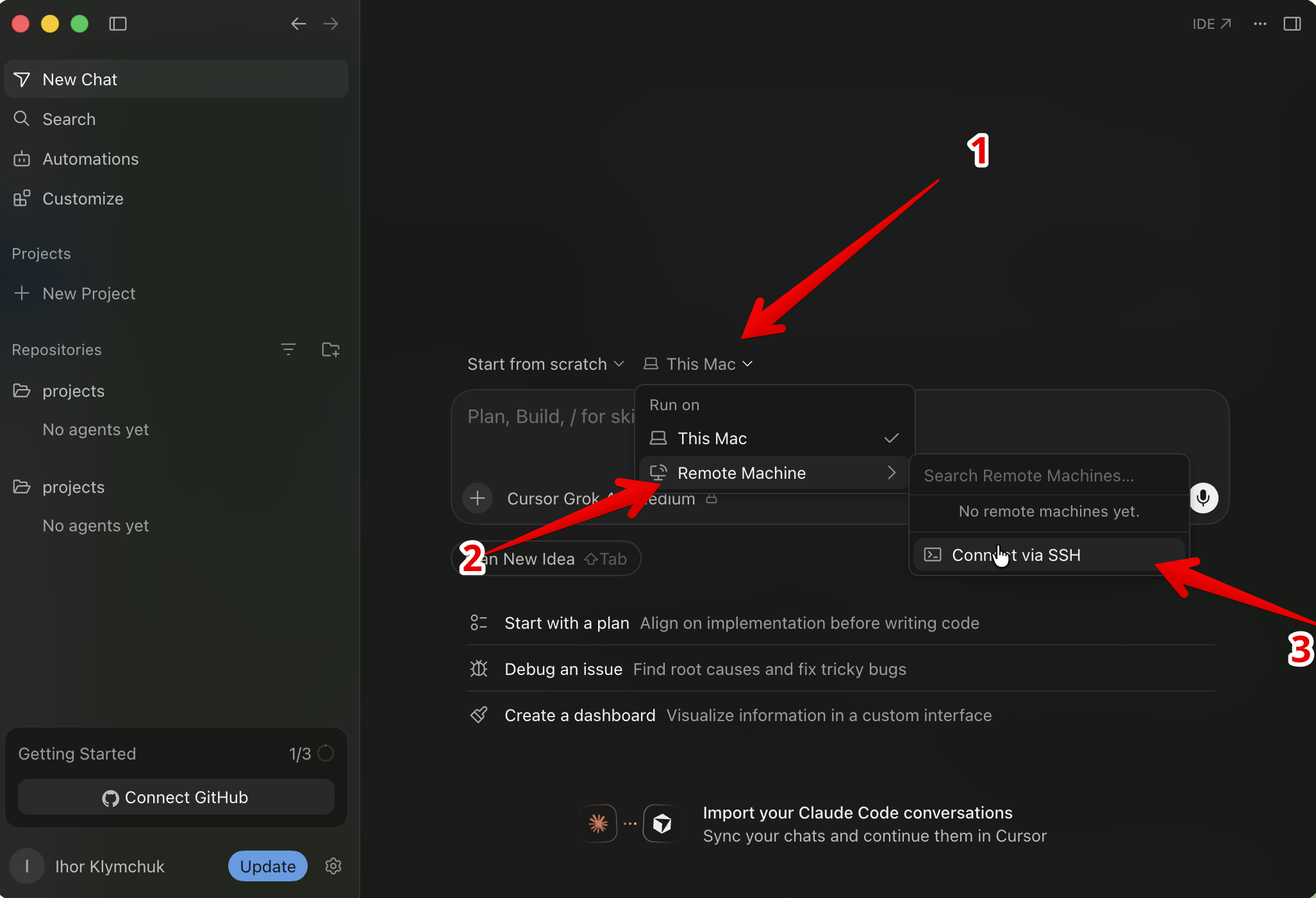
- Click This Mac above the prompt box.
- Select Remote Machine.
- Click Connect via SSH.
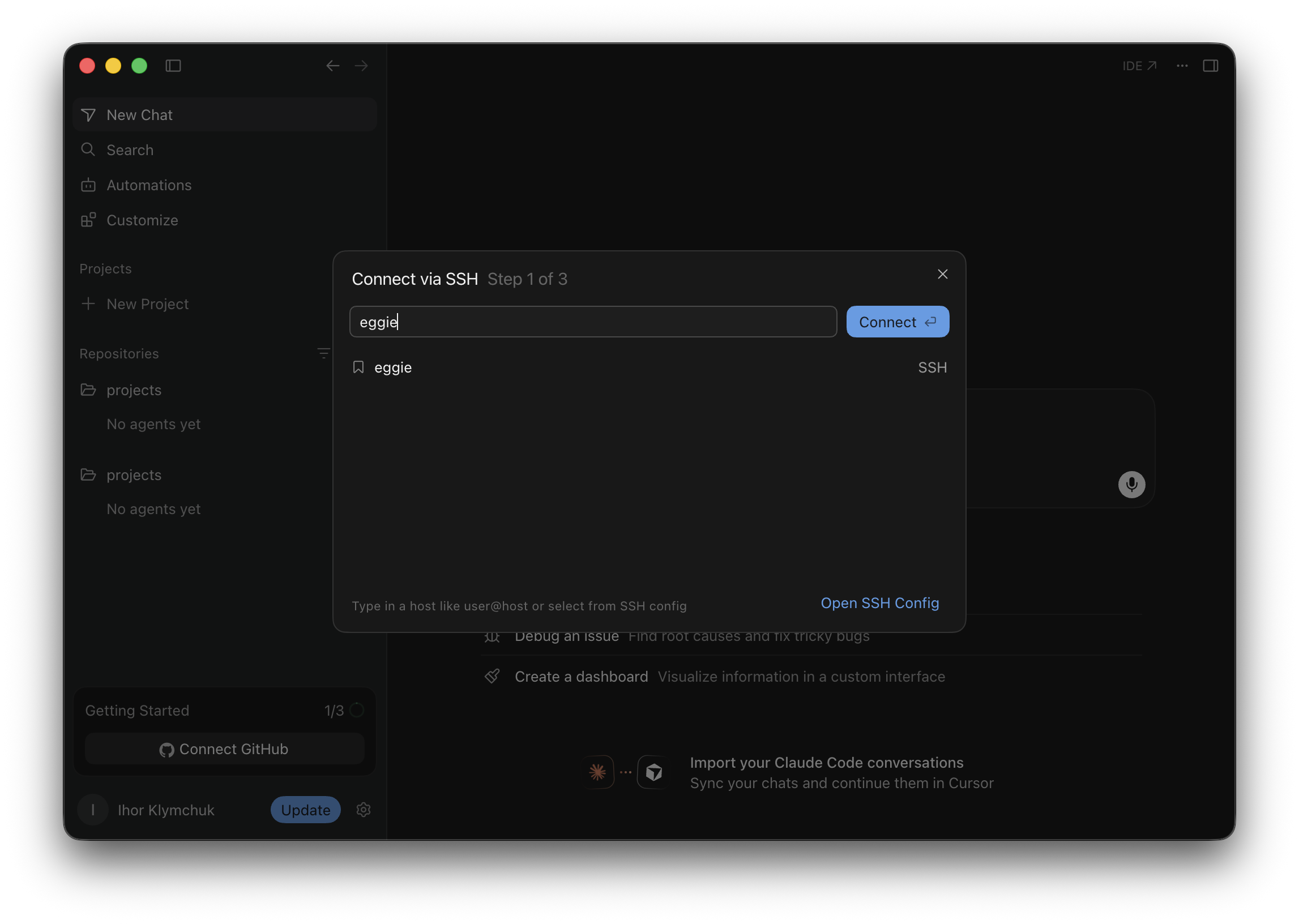
Connect to eggie
Type eggie in the search box, select the eggie connection and click Connect.
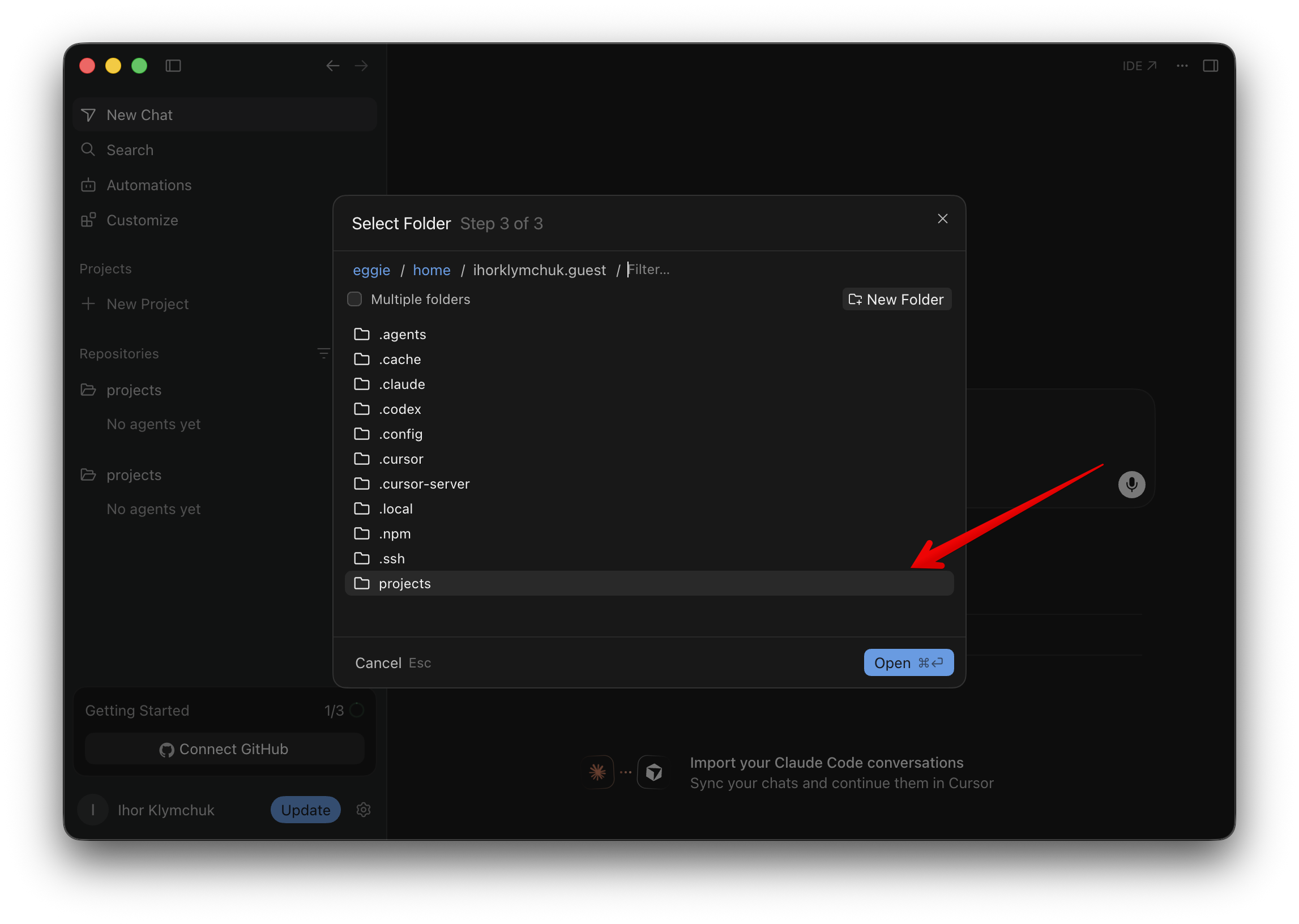
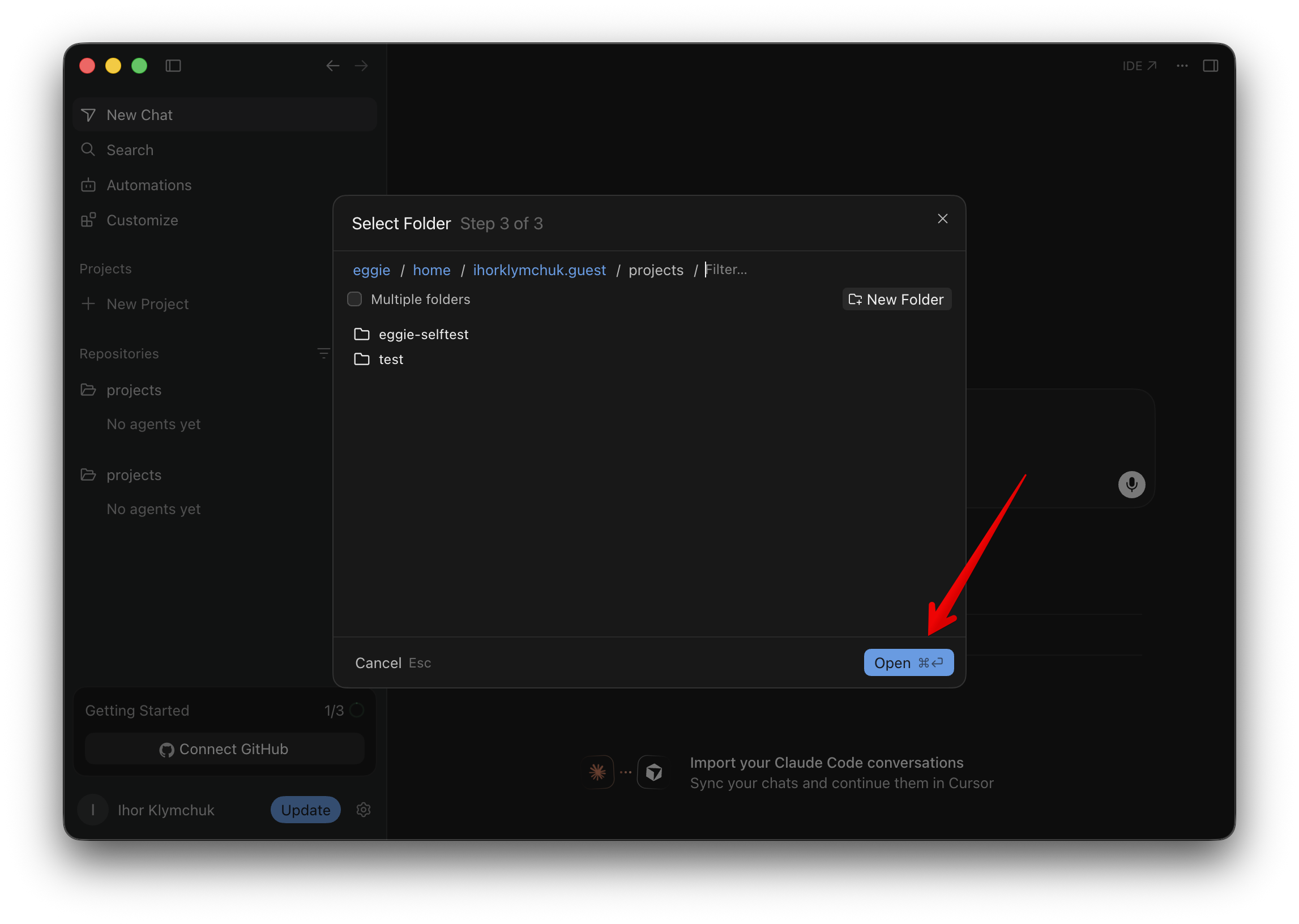
Open the projects folder
Wait while Cursor installs what it needs. Then select the projects folder and click Open.
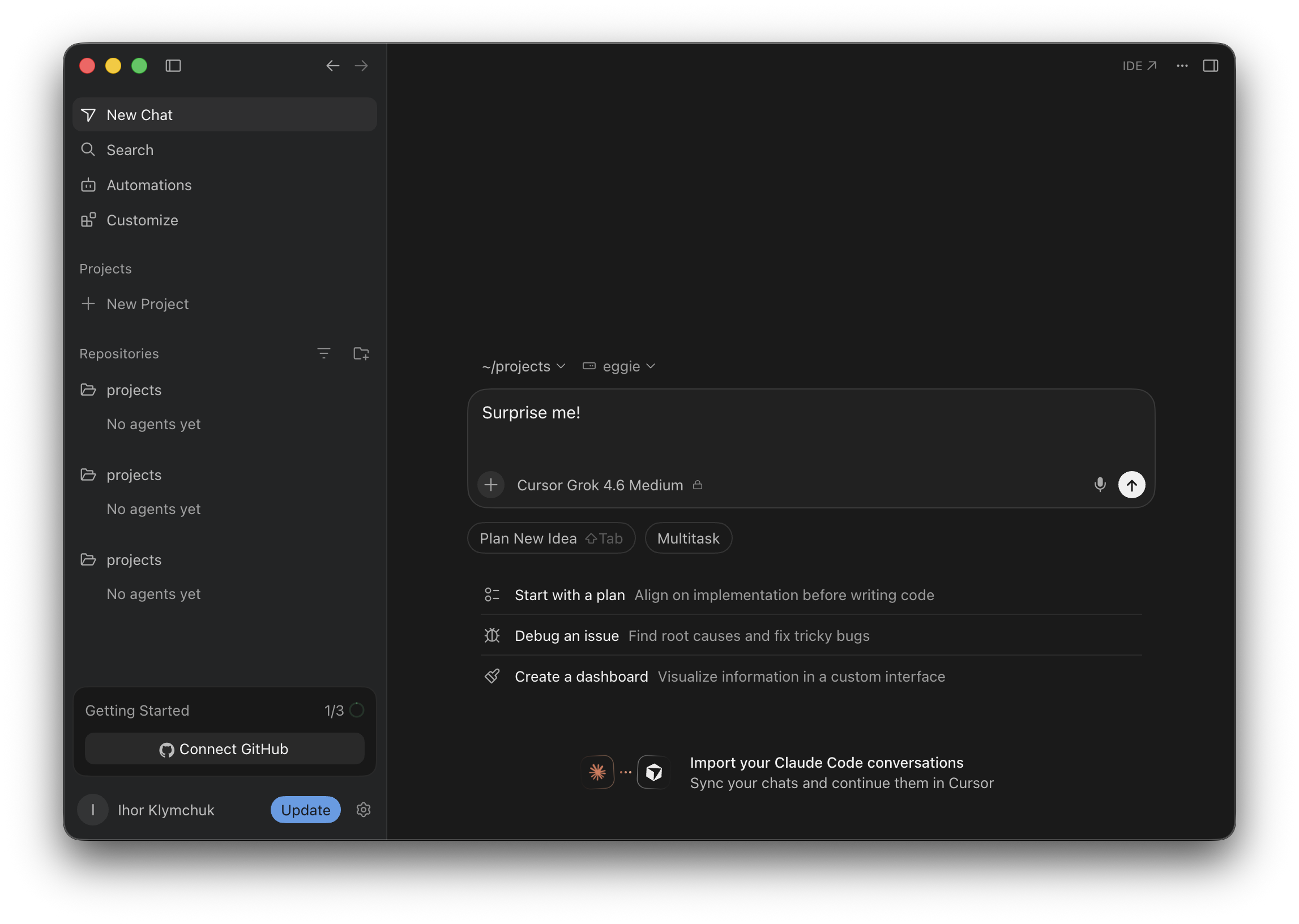
Start prompting
Tell Cursor what to build.
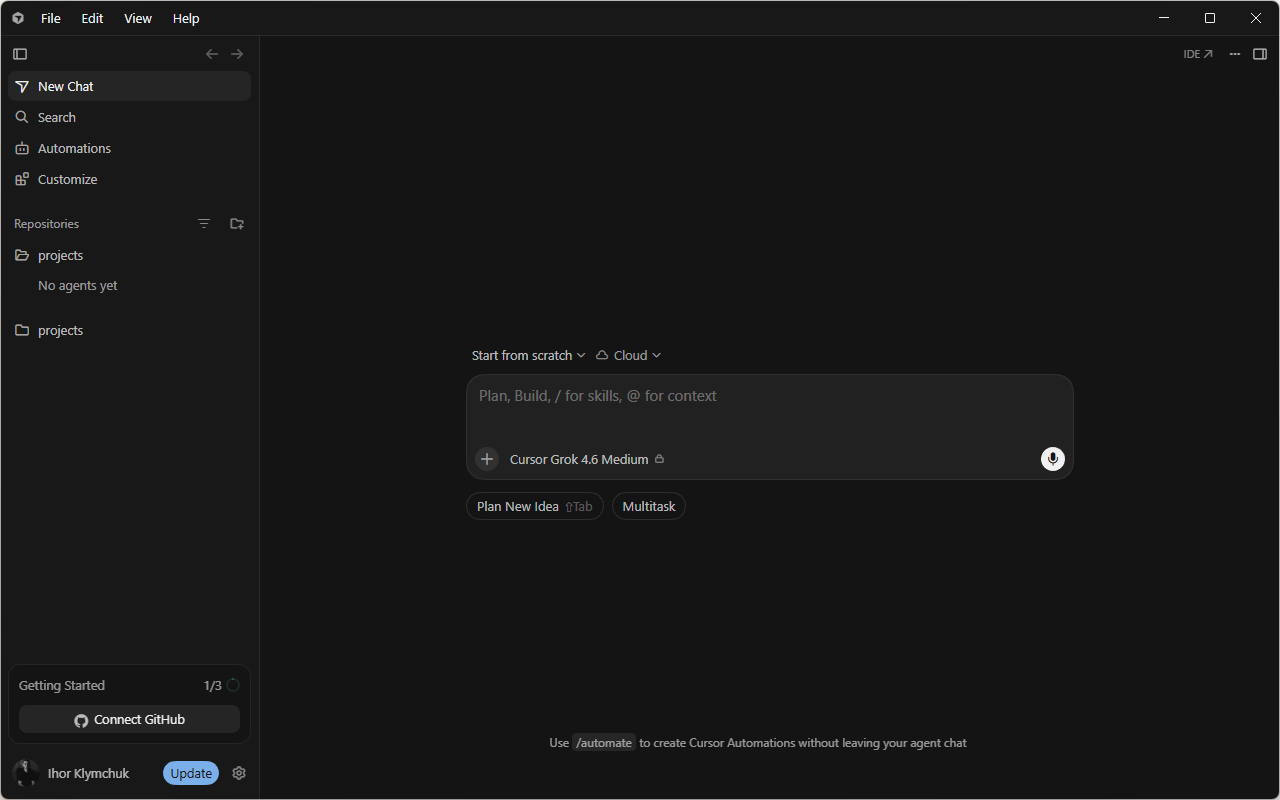
Cursor runs inside the kitchen through WSL. No values to copy.
Open Cursor
Open the Cursor app and sign in.
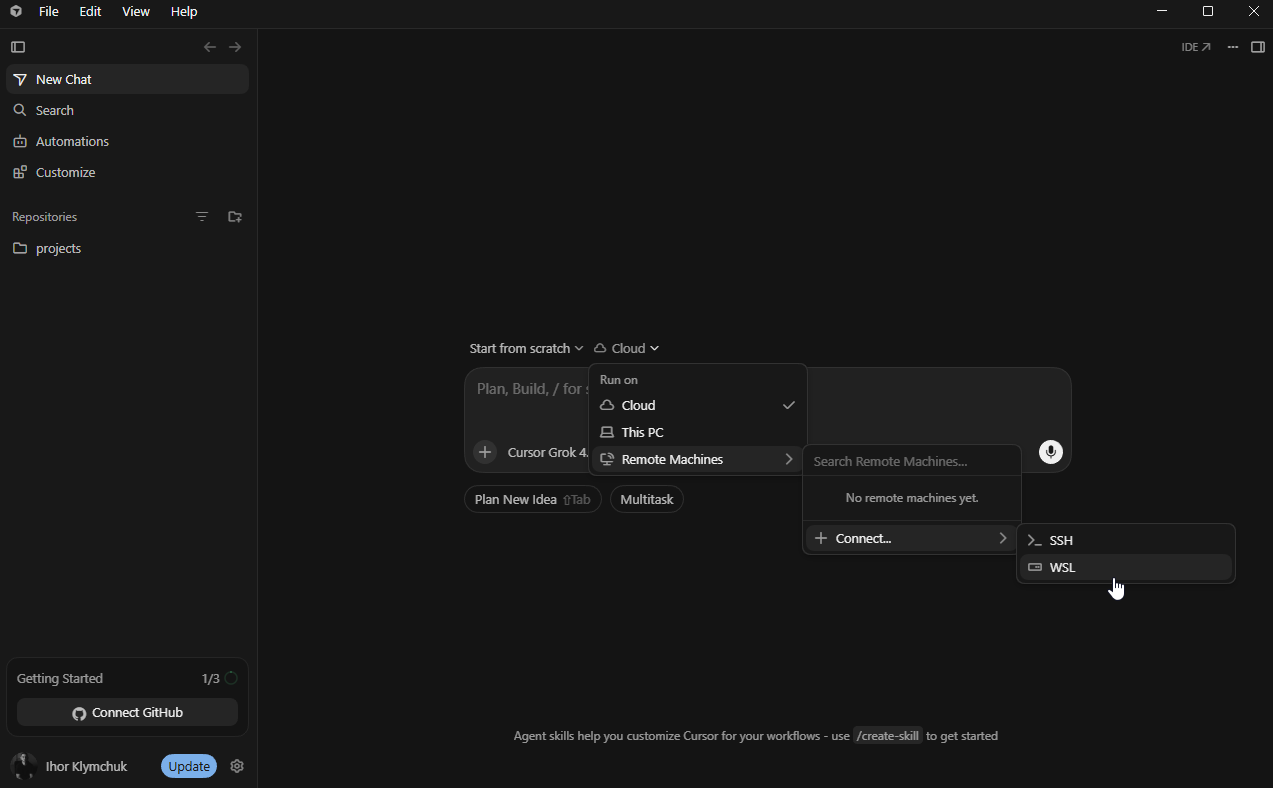
Run it in WSL
- Open the environment menu next to the prompt box.
- Select Remote Machines.
- Select Connect…
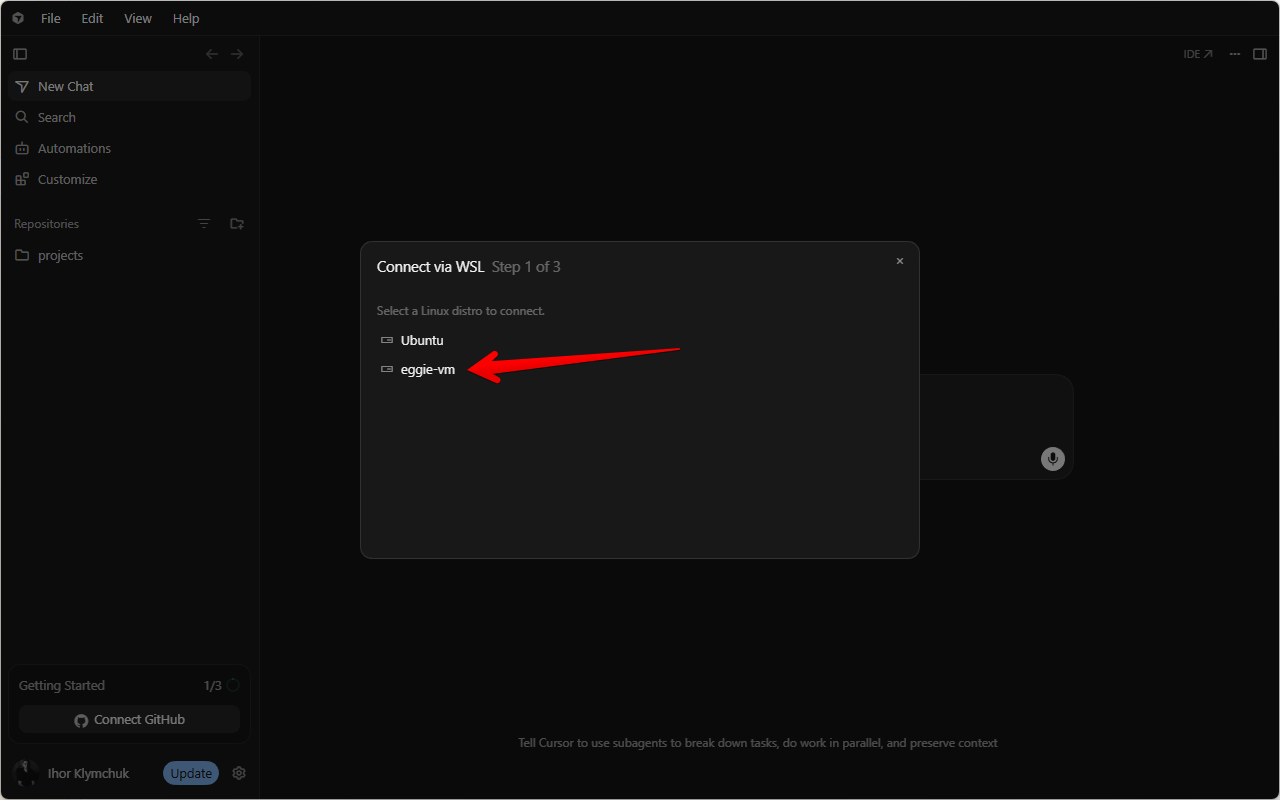
- Select WSL.
Pick eggie-vm
- Choose eggie-vm.
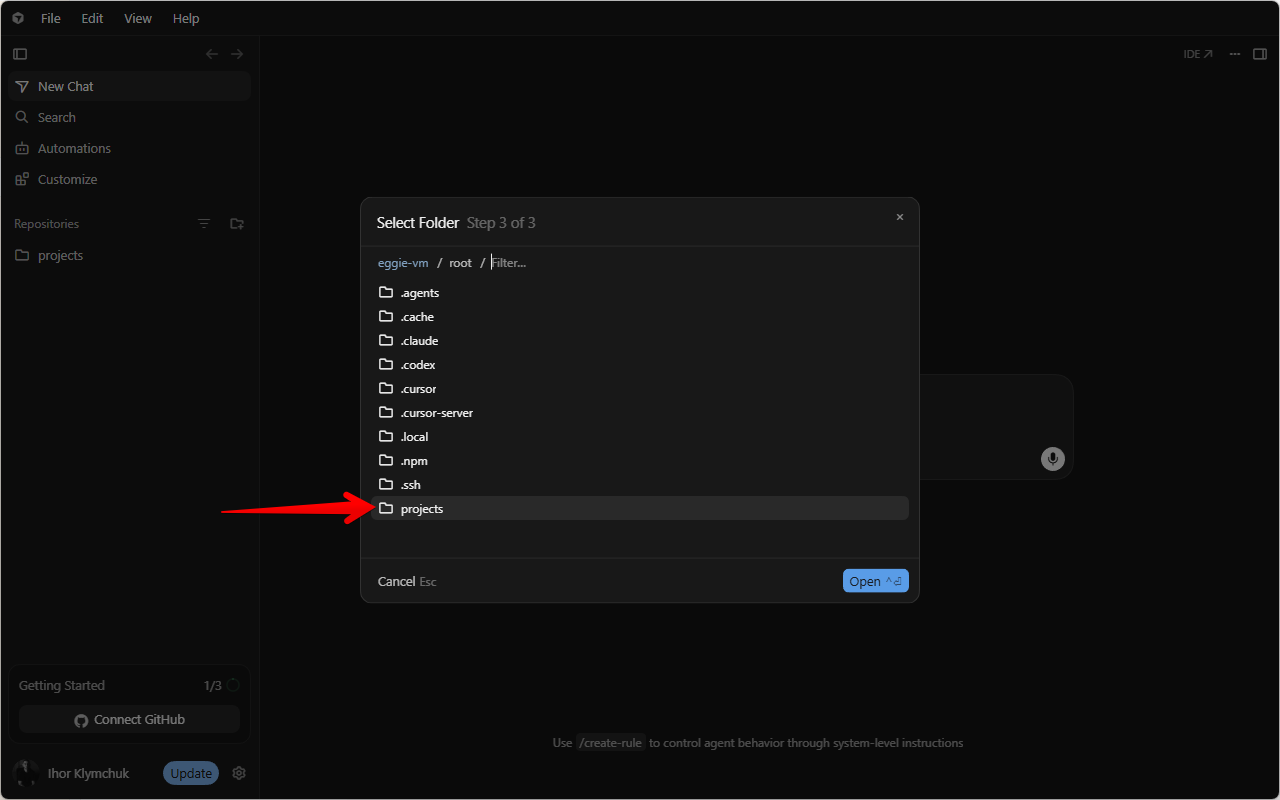
- Select the projects folder.
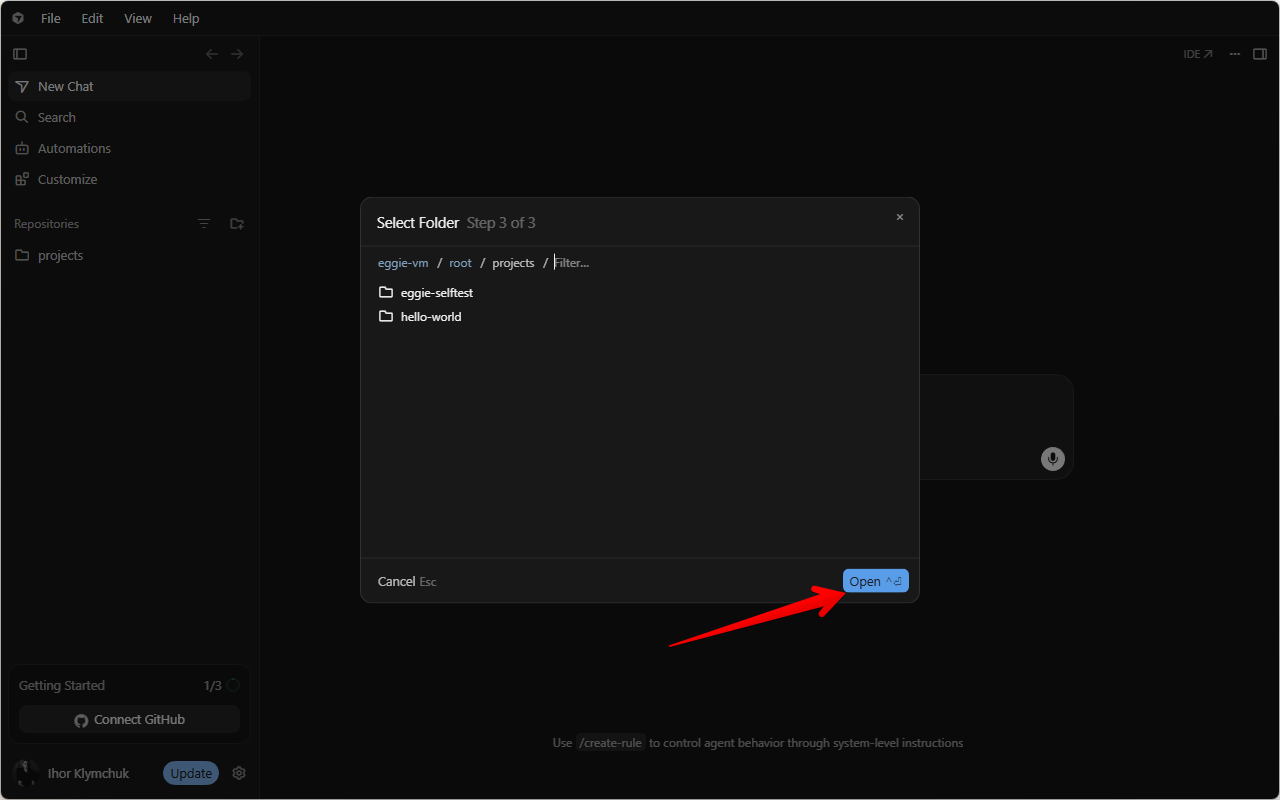
- Click Open.
Start prompting
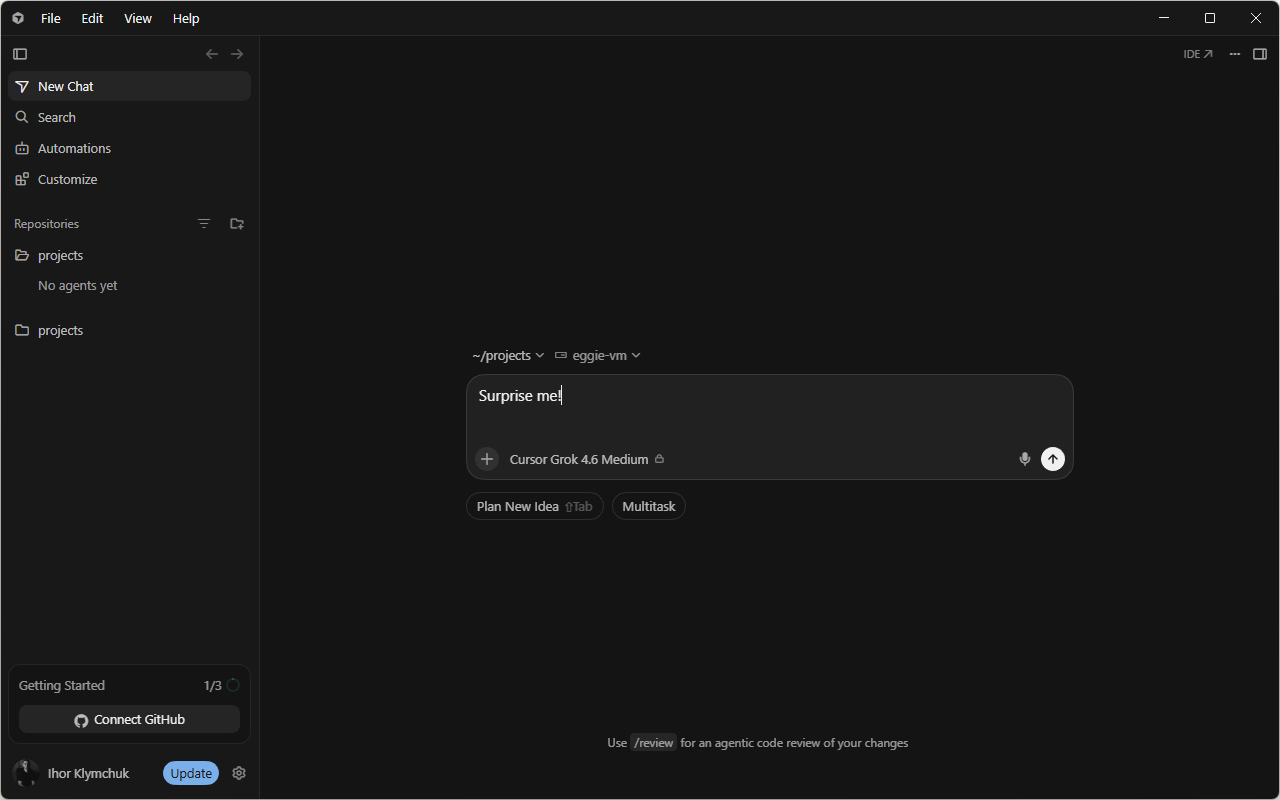
Tell Cursor what to build. It cooks inside the kitchen.
Something not working? See Troubleshooting.