Create a cloud kitchen
A cloud kitchen is your own server running Eggie. You create it in the browser — no app to install. Cloud kitchens are free during beta.
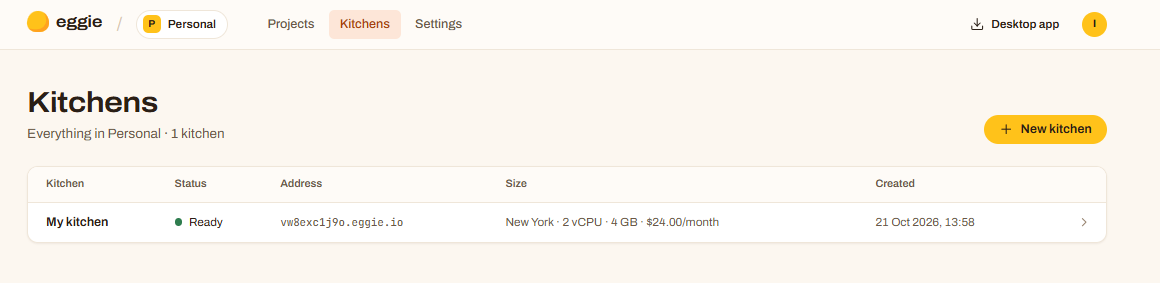
Open Kitchens
Sign in at app.eggie.io and click Kitchens → Create kitchen.
Choose name, region and size
- Name — anything, for example My kitchen.
- Region — pick the one closest to you.
- Size — 2 vCPU · 4 GB is enough to start. The price is shown for reference; kitchens are free during beta.
Generate an SSH key
Your agent uses this key to get into the kitchen.
- Under SSH access, click Generate SSH key.
- Give it a name that tells you where you’ll use it, for example laptop.
- Click Generate and download.
Your browser downloads a file named like
eggie-laptop_ed25519. That’s your private key.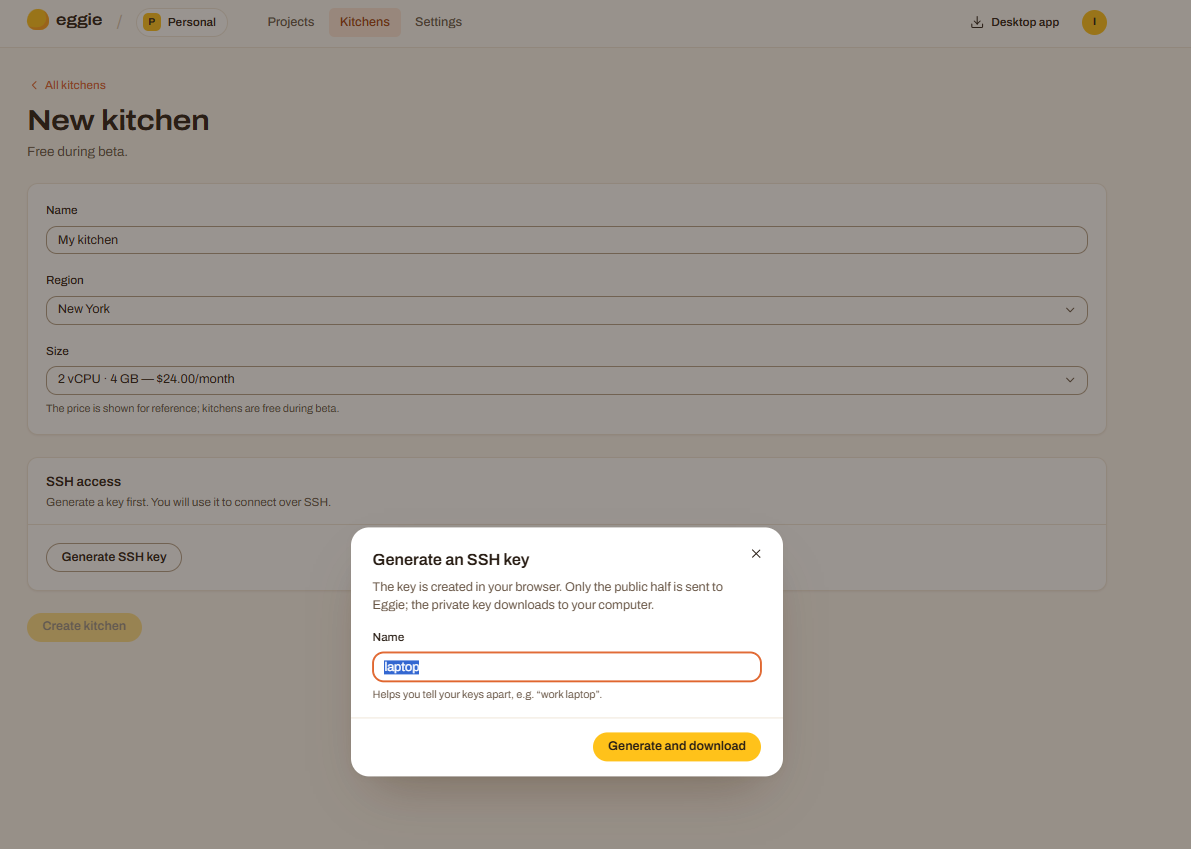
Create the kitchen
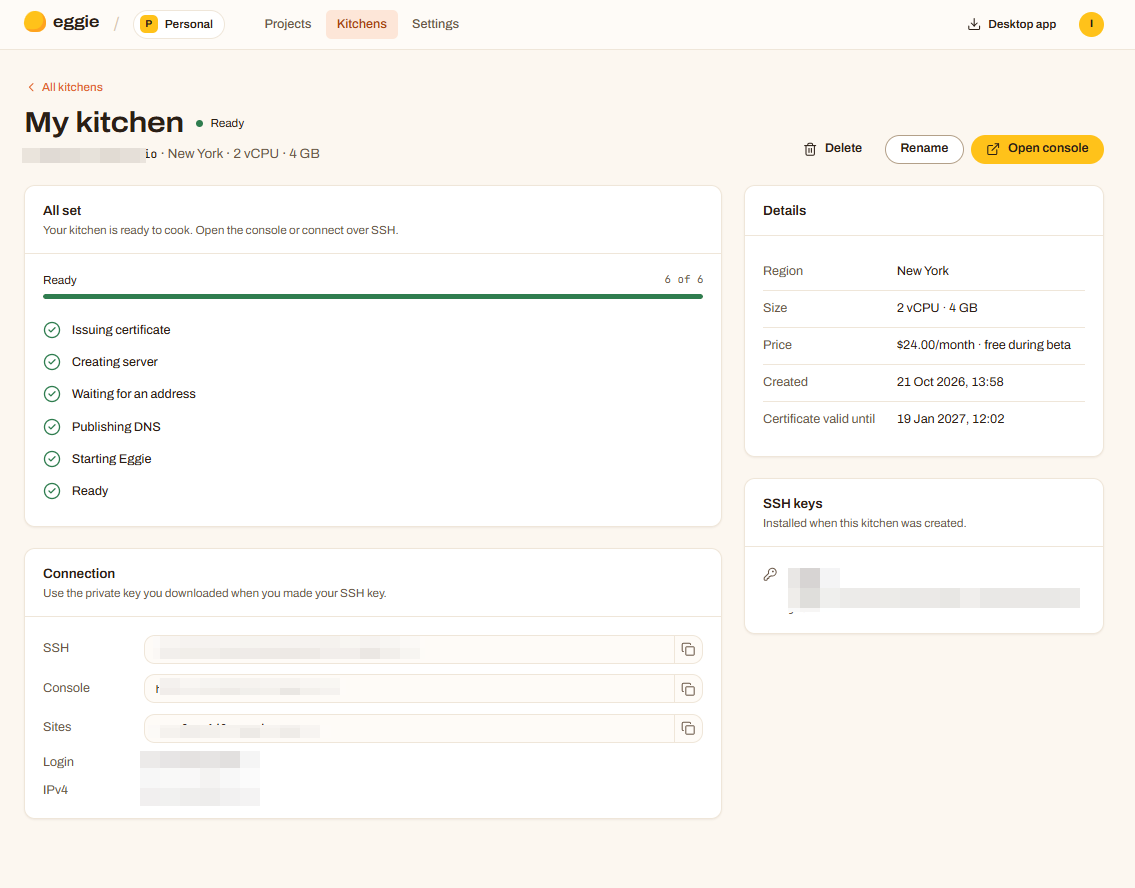
Click Create kitchen. Eggie sets up the server: certificate, server, address, DNS, Eggie itself. It takes a few minutes. You can leave the page — it keeps going.
Open the console
When the kitchen says Ready, click Open console. It’s the same console as on your computer: projects, files, secrets.
Next: connect your agent — Claude Code, Codex or Cursor, on the Cloud tab.
Where to find things
The kitchen page shows everything under Connection:
| What it is | |
|---|---|
| SSH | The address your agent connects to, e.g. ssh you@vw8exc1j9o.eggie.io |
| Console | Your console, e.g. https://vw8exc1j9o.eggie.io |
| Sites | Where your projects live: each one gets https://<project>.vw8exc1j9o.eggie.space |
| Login | Your user name on the server |
Good to know
- Your projects are online all the time. Anyone with a project’s address can open it. If your app shows real data, ask your agent to add a login.
- No public links needed. Every project already has its own address.
- Delete on the kitchen page removes the server and every project in it. It can’t be undone.