Delete a project
- Open the project.
- Click Delete project at the bottom left.
- Read what will be removed and confirm.
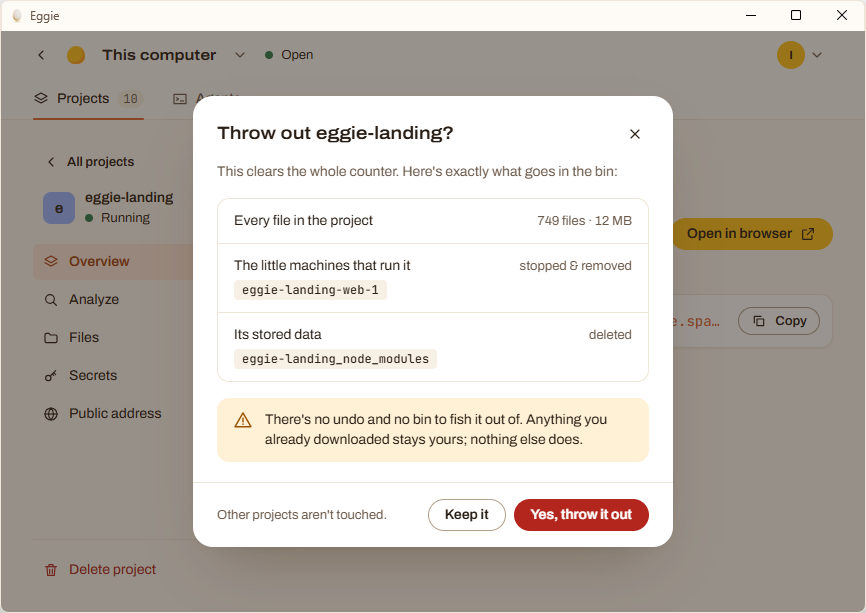
What stays:
- The original folder on your computer, if you brought the project in from a folder.
- The repository on GitHub, if you brought it in from GitHub. Anything your agent didn’t push is gone.
Want to keep a copy? Ask your agent to push the project to GitHub first.
You can delete a project even if it’s broken and won’t start.