Your first project
Before you start, connect your coding agent. You only do it once.
Open the console
In the Eggie app, click Open Eggie. You’ll see your projects — empty for now.
Make a new project
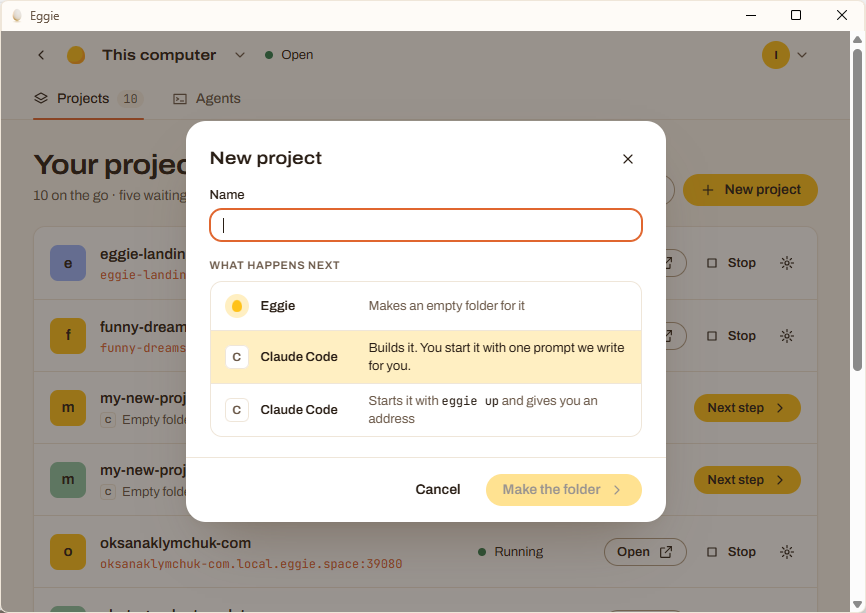
Click New project, type a name and click Make the folder. Eggie makes an empty folder for it.
Copy the prompt
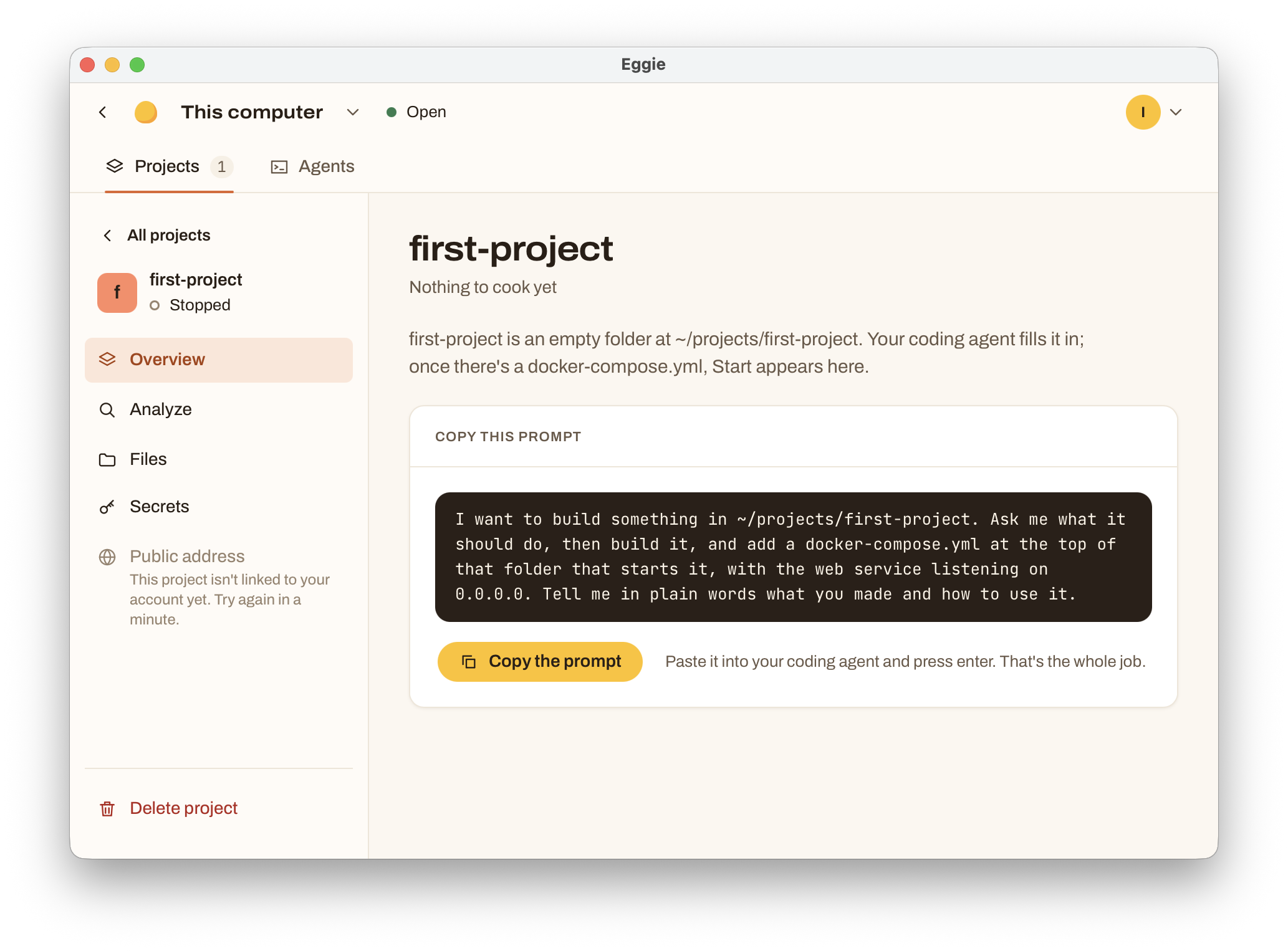
Eggie opens the project’s page. It says Nothing to cook yet. Coming back later? Click Next step next to the project in the list.
Click Copy the prompt, paste it into your coding agent and press Enter.
Tell your agent what to build
Your agent asks what the project should do. Answer in plain words, for example: “a booking page for my yoga classes with a form and an admin list”.
The agent builds the project and starts it. When it’s done, the project says Running and shows its address.
Open it
Click Open. Your app opens in the browser at an address like
my-shop.local.eggie.space:39080.This address only works on your computer. To show it to someone else, share a public link.
What next
Keep talking to your agent: “make the button green”, “add a login page”, “send me an email when someone books”. It changes the project and restarts it when needed.
If you already have a project somewhere, see Add an existing project.