Add an existing project
Have a project already? Bring it in from a folder on your computer or from GitHub.
From a folder
- In the console, click From a folder.
- Drop the folder in, or click Choose a folder…
- Eggie copies it into the kitchen.
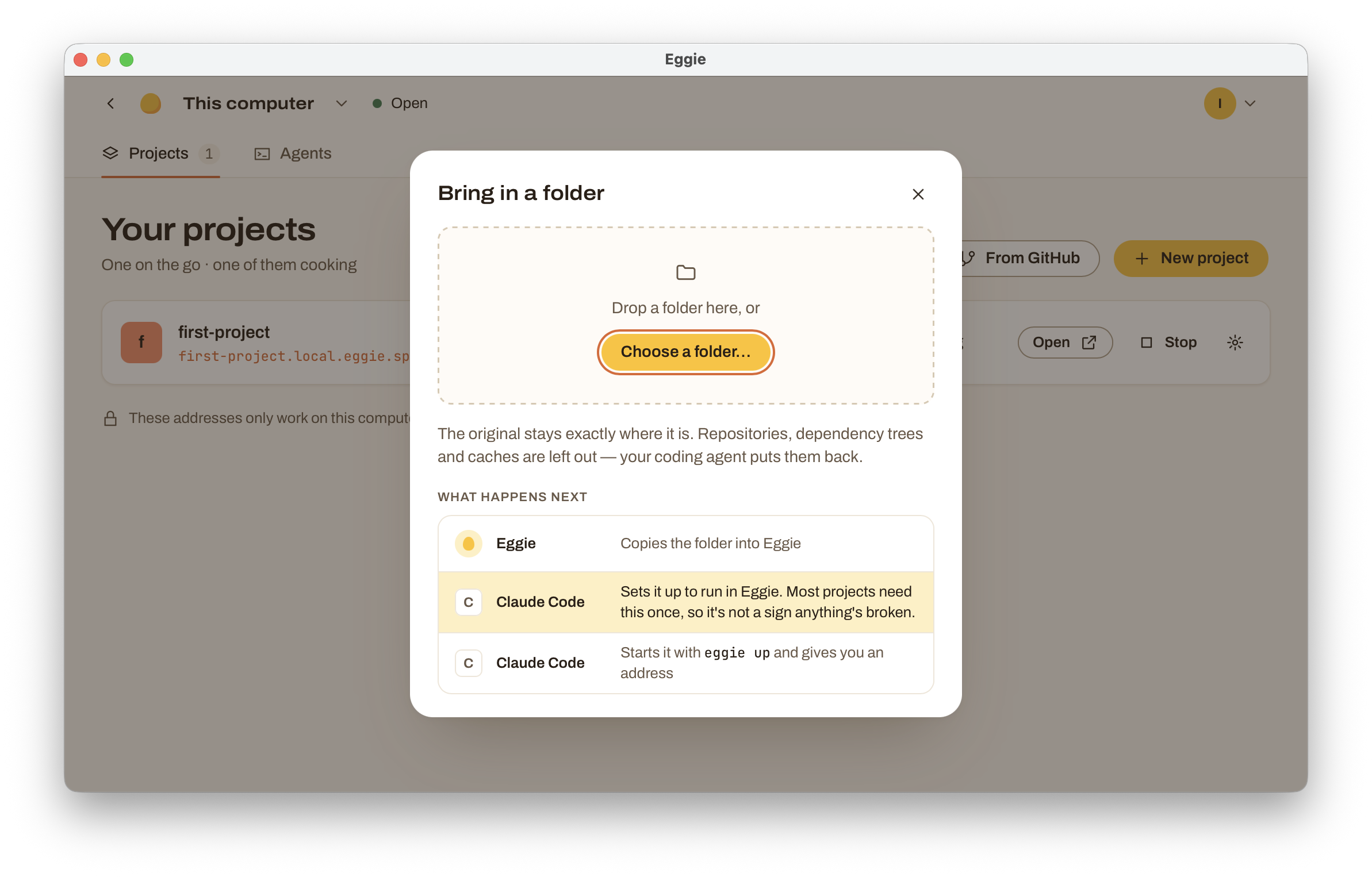
The original stays exactly where it is. Eggie works on a copy, so changes you make in Eggie don’t go back to the original folder.
Eggie leaves out git history, installed dependencies and caches — they’re big and your agent puts back what’s needed.
From GitHub
- Connect GitHub once: click your avatar in the top right → GitHub → Connect.
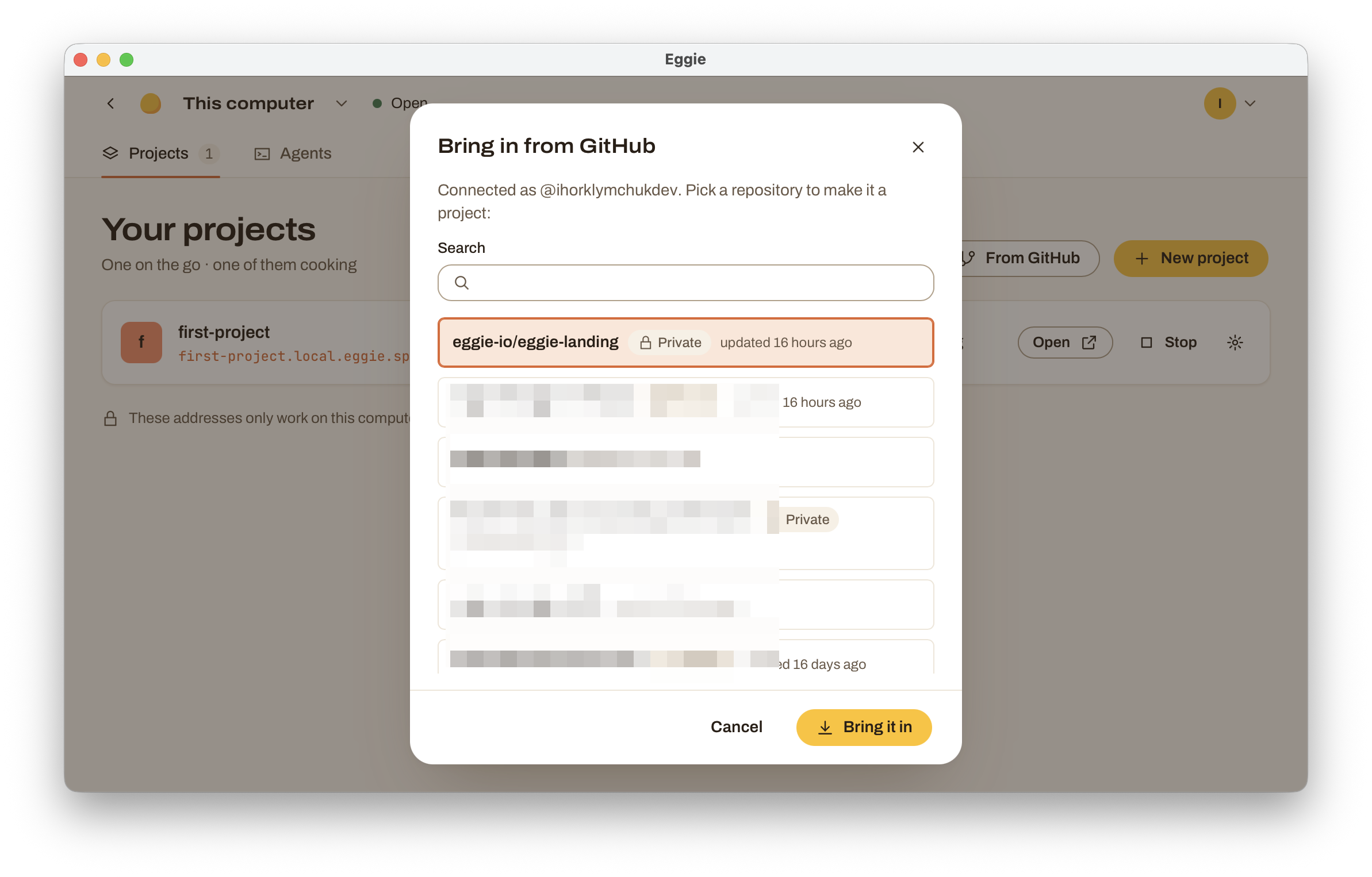
- Click From GitHub.
- Find the repository and click Bring it in. Private repositories work too.
If a repository is already in Eggie, it’s marked Already a project with an Open button.
Then: set it up
Most projects need one set-up step before they run in Eggie. That’s normal, not a sign anything’s broken.
The project shows Needs set-up. Open it — the page walks you through three steps:
- Click Copy the prompt. It already says where the project is.
- Paste it into your coding agent and press Enter. The agent reads the project and makes it run in Eggie. It doesn’t change what the app does.
- When it’s done, the agent starts the project and the page updates by itself. If it doesn’t, click Try now.
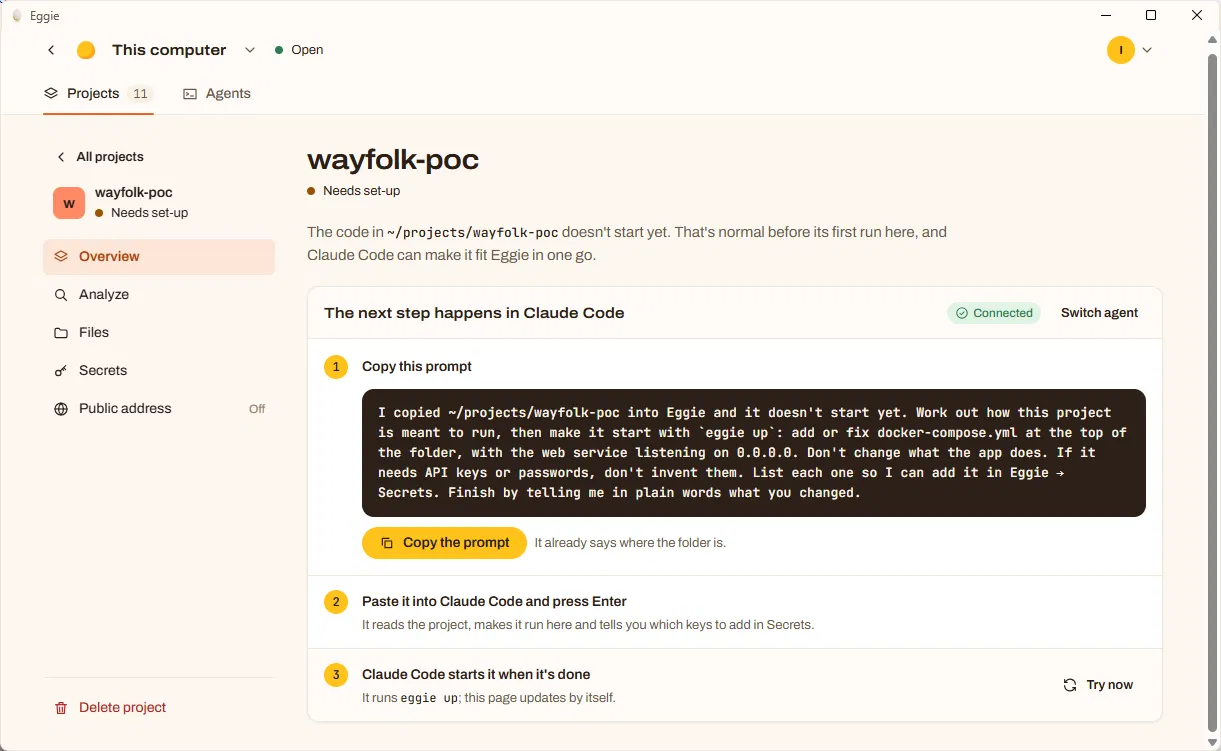
If the project needs API keys or passwords, the agent won’t make them up. It tells you which ones to add — put them in Secrets, then restart the project.
The steps name the agent you connected. To use another one, click Switch agent.